See every flag that changed in production yesterday
Every morning, WebRun signs in to LaunchDarkly, reads the audit log for the last 24 hours, records every flag whose targeting or on state changed in production and who changed it, opens a Trello review card for anything that went to full rollout or was toggled outside working hours, and sends the whole digest to your engineering WhatsApp group.
- No credit card
- Under $0.01 per run
- Cancel anytime
How do I keep track of who changed a feature flag in production?
WebRun reads the LaunchDarkly audit log every morning and lists every production flag whose state, targeting, or rollout changed in the last 24 hours, with the person who changed it. It opens a Trello review card for full rollouts and out of hours toggles, then sends the digest to WhatsApp.
- Every production flag change has a named author by 9am
- Full rollouts get reviewed instead of noticed later
- Out of hours toggles stop being invisible
Built for engineering managers · platform teams · SRE and on-call · release managers
What does WebRun do on every run?
The exact actions WebRun takes, in order - in plain language, so you can adjust anything.
-
WebRun signs in and gets to work
Opens
app.launchdarkly.comin a real browser with your saved login - no setup, no API keys. -
1
LaunchDarkly - read yesterday's flag changes
launchdarkly.com
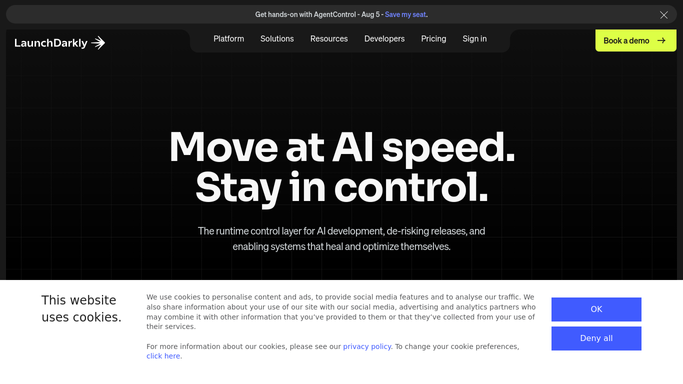
WebRun opens LaunchDarkly to read yesterday's flag changes. - Sign in to LaunchDarkly and open the audit log for the last 24 hours
- List every change made in the production environment with the flag name and the person who made it
- Record what actually changed: on or off state, targeting rules, or rollout percentage
- Mark anything taken to 100 percent rollout, or changed outside working hours, as needing review
Done when Every production flag change in the last 24 hours is listed with its author.
-
2
Trello - open a card for risky changes
trello.com How to Automate Trello

WebRun opens Trello to open a card for risky changes. - Create one review card per change marked as needing review
- Title it with the flag name, the change, and who made it
- Put the before and after state in the description with the timestamp
- Assign the card to the engineer who made the change so review has an owner
Done when Every change needing review has an owned Trello card.
-
3
WhatsApp - send the change digest
whatsapp.com How to Automate WhatsApp

WebRun opens WhatsApp to send the change digest. - Send the engineering group one digest of yesterday's production flag changes
- Show flag, change, author, and time on a single line each
- Put the changes needing review at the top with their card links
- Never toggle, edit, or delete a flag. WebRun reports and a person decides
Done when The team has yesterday's production change digest.
How is each run configured?
Secure by default
Connect once, stays signed in
WebRun signs in once and keeps each session in a persistent environment, so every run picks up right where it left off.
Every action is checked against this policy before it runs.
Questions, answered
Can it turn a flag off?
No. WebRun reads the audit log and reports what changed. It never toggles a flag, edits targeting, archives a flag, or approves a change request.
Which changes get a review card?
Anything taken to full rollout in production and anything toggled outside your working hours. You can add your own rules, such as flags on a critical list.
Does it cover every environment?
It focuses on production by default, because that is where a change reaches customers. You can add staging or any other environment to the same daily digest.
Related templates
Put this on autopilot.
Turn it on in minutes - or have our team set it up for you.