Catch low stock before customers ask
Every hour during business hours, WebRun opens Khatabook, checks stock levels against the reorder point you set for each item, builds a short reorder list ranked by how close each item is to zero, and sends it to your own WhatsApp so you can restock before a customer is turned away.
- No credit card
- Under $0.01 per run
- Cancel anytime
What does WebRun do on every run?
The exact actions WebRun takes, in order - in plain language, so you can adjust anything.
-
WebRun signs in and gets to work
Opens
khatabook.comin a real browser with your saved login - no setup, no API keys. -
1
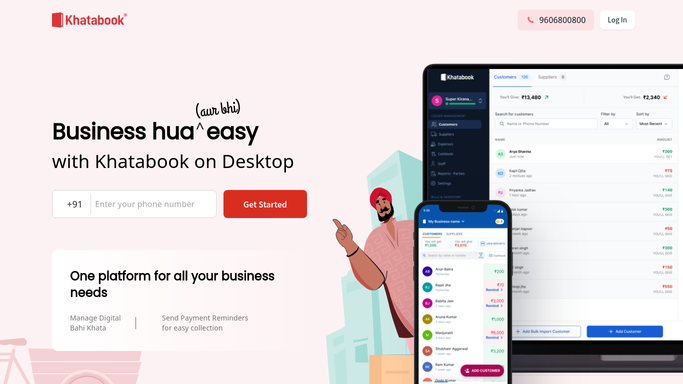
Khatabook - check stock levels
khatabook.com How to Automate Khatabook

WebRun opens Khatabook to check stock levels. - Open Khatabook and pull current stock levels for every item
- Compare each item against the reorder point you set for it
- Rank items by how close they are to running out
Done when Every item below its reorder point is listed and ranked.
-
2
WhatsApp - alert you to reorder
whatsapp.com How to Automate WhatsApp
WebRun opens WhatsApp to alert you to reorder. - Message your own WhatsApp with the ranked reorder list
- Name each item, how many are left, and your usual reorder quantity
- Skip the alert entirely if nothing is below its reorder point
Done when You have this hour's reorder list on WhatsApp, or no message if stock is fine.

How do I get alerted before my shop runs out of stock?
WebRun checks your Khatabook inventory every hour during business hours and compares stock levels against the reorder point you set for each item. The moment an item falls below that point, it messages your own WhatsApp with a ranked reorder list naming units left and your usual order quantity, so you restock before a customer is turned away.
- Items get reordered before they actually run out
- No message at all on hours when stock is healthy
- Reorder quantities are included so restocking takes one read, not a lookup
Built for kirana store owners · general store owners · small retailers · wholesale traders
How is each run configured?
Secure by default
Connect once, stays signed in
WebRun signs in once and keeps each session in a persistent environment, so every run picks up right where it left off.
Every action is checked against this policy before it runs.
Questions, answered
Will this spam my WhatsApp every hour?
No. It only messages you when at least one item is below its reorder point. An hour with healthy stock produces no message at all.
How does it know what counts as low stock?
You set a reorder point for each item in Khatabook. WebRun compares live stock against that number every hour and only flags items under it.
Can it tell me how much to reorder?
Yes. Alongside units left, it includes the usual reorder quantity you have set for that item, so you know exactly how much to order.
Related templates
Put this on autopilot.
Turn it on in minutes - or have our team set it up for you.