Start each day with your Kanban Flow board digest
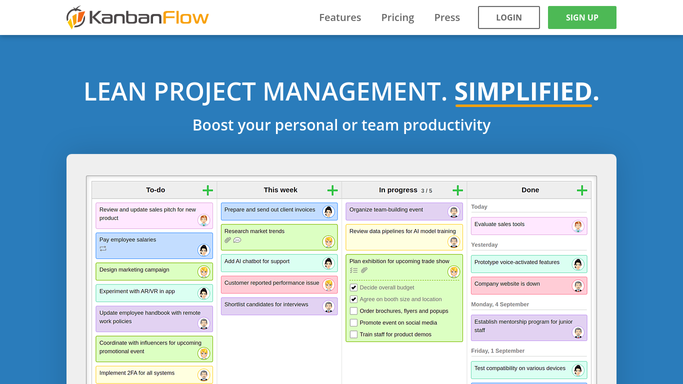
Every morning, WebRun opens Kanban Flow, captures the cards due today and the time logged on each column yesterday, cross checks any linked project notes in Notion, and appends a clean digest row to an Airtable log so the team starts the day with one place to look.
- No credit card
- Under $0.01 per run
- Cancel anytime
What does WebRun do on every run?
The exact actions WebRun takes, in order - in plain language, so you can adjust anything.
-
WebRun signs in and gets to work
Opens
kanbanflow.comin a real browser with your saved login - no setup, no API keys. -
1
Kanban Flow - read today's due cards and logged time
kanbanflow.com

WebRun opens Kanban Flow to read today's due cards and logged time. - Open Kanban Flow and scan every board column
- List cards due today and cards moved to Done since yesterday
- Pull the time logged against each card from the built in timer
Done when Every card due today or finished yesterday is listed with its logged time.
-
2
Notion - check linked project notes
notion.so How to Automate Notion
WebRun opens Notion to check linked project notes. - Search Notion for the project page linked to each active card
- Note any blockers or context written since the last check
- Flag cards with no matching Notion page as untracked
Done when Each active card has its Notion context noted or flagged as missing.
-
3
Airtable - log the daily digest row
airtable.com How to Automate Airtable
WebRun opens Airtable to log the daily digest row. - Open the Daily Digest table in Airtable
- Add one row for today with due count, hours logged, and blockers
- Leave finished cards and their notes linked for reference
Done when Today's digest row is saved in Airtable.


How do I get a daily summary of my Kanban Flow board activity?
WebRun checks your Kanban Flow board every morning, reading which cards are due today and how much time was logged on each yesterday. It cross references any linked project notes in Notion, then appends one clean digest row to Airtable, giving your team a single running record of board activity without opening Kanban Flow first thing.
- The team starts each day with one digest row instead of opening every board
- Untracked cards are flagged instead of silently missed
- A running Airtable log builds a searchable history of daily activity
Built for small teams · freelancers · project managers · remote teams
How is each run configured?
Secure by default
Connect once, stays signed in
WebRun signs in once and keeps each session in a persistent environment, so every run picks up right where it left off.
Every action is checked against this policy before it runs.
Questions, answered
Does it move or edit my Kanban Flow cards?
No. It only reads card status, due dates, and logged time. It never drags cards between columns or edits their content.
What happens if a card has no Notion page?
It is flagged as untracked in the digest row instead of being skipped, so nothing falls through without a note.
Can the digest go somewhere other than Airtable?
Airtable is the default log, but the same digest can be pointed at a different sheet. Nothing here posts publicly or emails anyone.
Related templates
Put this on autopilot.
Turn it on in minutes - or have our team set it up for you.