Walk into every interview already briefed
Every morning, WebRun signs in to JazzHR, lists the interviews scheduled for today, reads each candidate's stage, application answers, and previous feedback, writes a one-page brief per interview into a Google Drive folder, and posts the day's schedule with the brief links to your hiring channel in Slack.
- No credit card
- Under $0.01 per run
- Cancel anytime
How do I prepare interviewers for the day's candidates automatically?
WebRun reads your JazzHR interview schedule every morning and pulls each candidate's stage, application answers, and earlier interview feedback. It writes a one-page brief per candidate into a shared Google Drive folder and posts the day's schedule with brief links to Slack, so every interviewer arrives prepared.
- Interviewers get a candidate brief before the first slot, not during it
- Earlier feedback is visible so questions are not repeated
- Interviews with no panel or no brief are flagged in time to fix
Built for recruiters · hiring managers · HR teams · growing startups
What does WebRun do on every run?
The exact actions WebRun takes, in order - in plain language, so you can adjust anything.
-
WebRun signs in and gets to work
Opens
jazzhr.comin a real browser with your saved login - no setup, no API keys. -
1
JazzHR - read today's interviews
jazzhr.com
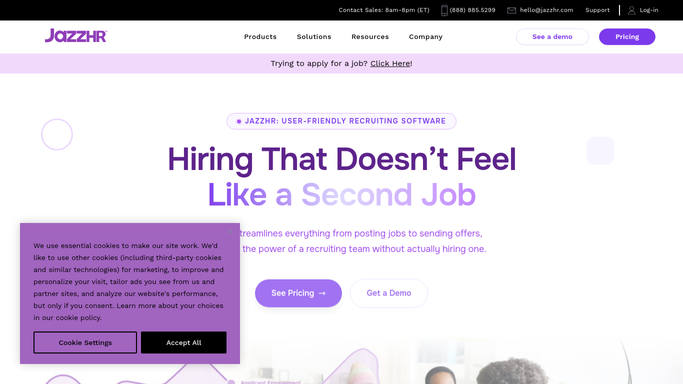
WebRun opens JazzHR to read today's interviews. - Sign in to JazzHR and open the interview schedule for today
- Capture each interview with the time, the candidate, the job, and the panel members
- Open each candidate record and read their current stage, source, and application answers
- Collect any feedback or scorecard notes left by earlier interviewers
- Note which required questions or evaluations are still outstanding
- Read only. Never move a candidate stage, reject anyone, or send a message from the system
Done when Every interview today has its candidate history, panel, and outstanding items captured.
-
2
Google Drive - write a brief per candidate
drive.google.com How to Automate Google Drive

WebRun opens Google Drive to write a brief per candidate. - Create a dated folder in Google Drive for today's interviews
- Write a one-page brief per candidate with the role, stage, and application highlights
- Include the earlier feedback so the panel does not repeat questions already asked
- List the outstanding questions this round is meant to answer
- Share the folder with the panel members only
Done when Each of today's interviews has a one-page brief in the dated Drive folder.
-
3
Slack - post the day's schedule
slack.com How to Automate Slack

WebRun opens Slack to post the day's schedule. - Post today's interview schedule to the hiring channel in Slack
- List each slot with the time, candidate, role, and interviewer
- Link the matching brief in Drive next to each slot
- Flag any interview with no panel assigned or no brief available
- Mention the interviewers so it lands in their feed before the first slot
Done when The hiring channel has today's schedule with a brief link on every slot.
How is each run configured?
Secure by default
Connect once, stays signed in
WebRun signs in once and keeps each session in a persistent environment, so every run picks up right where it left off.
Every action is checked against this policy before it runs.
Questions, answered
Will it email or message candidates?
No. WebRun never contacts a candidate. It reads JazzHR, writes briefs to a Drive folder shared with the panel, and posts internally in Slack. Offers, rejections, and scheduling messages stay with your recruiters.
Does it change anything in JazzHR?
No. WebRun reads candidate records, schedules, and feedback only. It never moves a candidate between stages, submits a scorecard, disqualifies anyone, or edits a job posting.
Who can see the interview briefs?
Only the panel members on that interview. WebRun shares the dated Drive folder with the listed interviewers, and the Slack post carries links rather than candidate details.
Related templates
Put this on autopilot.
Turn it on in minutes - or have our team set it up for you.