Follow up on missed Jami calls for you
Every hour during business hours, WebRun checks Jami for missed calls and unanswered messages, adds a callback reminder to Google Calendar for the right teammate, and drafts a short WhatsApp follow-up to the contact for a human to review and send.
- No credit card
- Under $0.01 per run
- Cancel anytime
How do I follow up on missed Jami calls automatically?
WebRun checks Jami every hour during business hours for missed calls and unanswered messages. It adds a callback reminder to Google Calendar for the right teammate and drafts a short WhatsApp follow-up for each contact, leaving it unsent. A person reviews and sends the message, so no missed contact goes unanswered and nothing leaves unattended.
- Missed calls get a scheduled callback instead of being forgotten
- Follow-up messages are ready to send within the hour
- Nothing goes out to a contact without a human review
Built for Small business support teams · Field service dispatch · Privacy-conscious businesses · Remote teams
What does WebRun do on every run?
The exact actions WebRun takes, in order - in plain language, so you can adjust anything.
-
WebRun signs in and gets to work
Opens
jami.netin a real browser with your saved login - no setup, no API keys. -
1
Jami - find missed calls and unanswered messages
jami.net
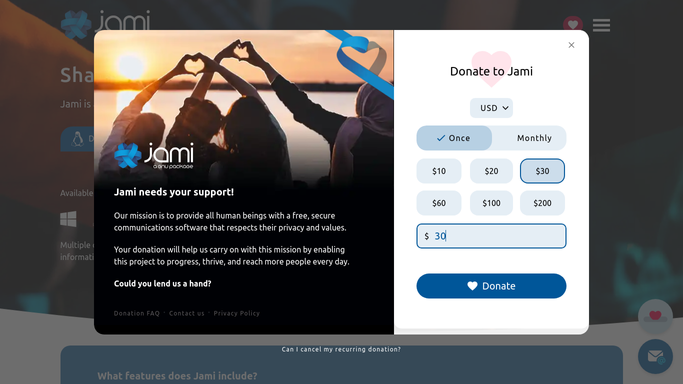
WebRun opens Jami to find missed calls and unanswered messages. - Open Jami and check the call and message history
- List missed calls and messages left unanswered for over an hour
- Note the contact and the time they reached out
Done when Every missed call and unanswered message is listed.
-
2
Google Calendar - schedule a callback reminder
calendar.google.com How to Automate Google Calendar

WebRun opens Google Calendar to schedule a callback reminder. - Open the team calendar
- Add a callback reminder for each missed contact
- Assign it to the teammate who normally handles that contact
Done when A callback reminder exists for every missed contact.
-
3
WhatsApp - draft a follow-up message
whatsapp.com How to Automate WhatsApp

WebRun opens WhatsApp to draft a follow-up message. - Draft a short, polite follow-up message for each missed contact
- Leave every draft unsent for review
- Never send a message to a contact on its own
Done when A ready-to-send draft exists for every missed contact, awaiting human approval.
How is each run configured?
Secure by default
Connect once, stays signed in
WebRun signs in once and keeps each session in a persistent environment, so every run picks up right where it left off.
Every action is checked against this policy before it runs.
Questions, answered
Will WebRun text a contact without me?
No. WebRun only drafts the WhatsApp follow-up and leaves it unsent. A person on your team reviews and sends it.
How does it decide who gets the callback reminder?
It assigns the reminder to whichever teammate normally handles that contact, based on your Jami call and message history.
What counts as a missed contact?
Any call that wasn't answered, or any message left unanswered for over an hour during business hours.
Related templates
Put this on autopilot.
Turn it on in minutes - or have our team set it up for you.