Keep every client return moving through the season
Every morning during the season, WebRun signs in to Intuit ProConnect, reads every client return with its current status and preparer, writes the whole pipeline into a Google Sheet with days since each return last changed status, and drafts a short, polite chase email in Gmail for every client whose return is stalled waiting on documents.
- No credit card
- Under $0.01 per run
- Cancel anytime
How do I track the status of every client tax return during the season?
WebRun reads your Intuit ProConnect return list every morning, records each client's status, preparer, and days since the return last moved into a Google Sheet, and sorts the longest-stalled to the top. It then drafts a polite document chase in Gmail for stalled clients, leaving every message unsent for a preparer to approve.
- The whole season pipeline is refreshed before the office opens
- Longest-stalled returns sit at the top of the sheet
- Client chases wait as drafts so a preparer always approves them
Built for tax preparers · accounting firms · CPAs · practice managers
What does WebRun do on every run?
The exact actions WebRun takes, in order - in plain language, so you can adjust anything.
-
WebRun signs in and gets to work
Opens
proconnect.intuit.comin a real browser with your saved login - no setup, no API keys. -
1
Intuit ProConnect - read every client return status
proconnect.intuit.com
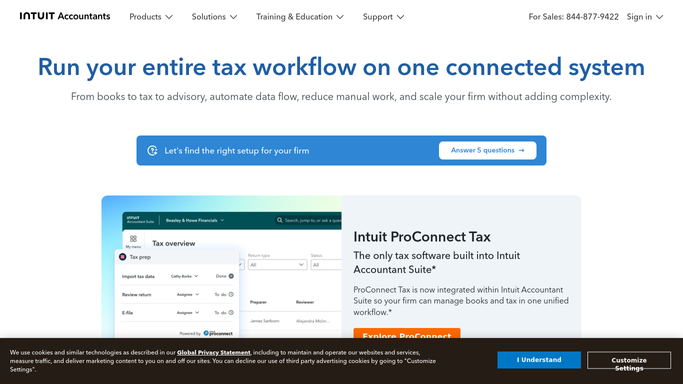
WebRun opens Intuit ProConnect to read every client return status. - Sign in to Intuit ProConnect and open the client and return list for the current tax year
- Capture each return with its client name, return type, assigned preparer, and current status
- Note the date each return last changed status and work out the days since
- Mark returns waiting on client information and returns sitting in review longer than your target
- Skip returns already filed and accepted
Done when Every open return has a status, an owner, and a days-since-it-moved figure.
-
2
Google Sheets - update the pipeline sheet
google.com How to Automate Google Sheets

WebRun opens Google Sheets to update the pipeline sheet. - Open your season pipeline in Google Sheets and refresh one row per open return
- Fill client, return type, preparer, status, days in status, and today's date
- Sort so the longest-stalled returns sit at the top of the sheet
- Add a small summary block counting returns by status so you can see where the queue is jammed
Done when The pipeline sheet matches today's ProConnect return list.
-
3
Gmail - draft chases for stalled returns
gmail.com How to Automate Gmail

WebRun opens Gmail to draft chases for stalled returns. - Draft a short, polite Gmail message for each client whose return has waited on documents beyond your chase threshold
- Name only the outstanding items and give a clear date you need them by
- Leave every message in Drafts for a preparer to review and send. WebRun never emails a tax client on its own
- Skip clients already chased in the last five days
Done when A chase email is drafted and unsent for every stalled client return.
How is each run configured?
Secure by default
Connect once, stays signed in
WebRun signs in once and keeps each session in a persistent environment, so every run picks up right where it left off.
Every action is checked against this policy before it runs.
Questions, answered
Will it email clients or file anything?
No. Chase emails are left as unsent Gmail drafts for a preparer to approve, and WebRun never e-files, never submits a return, and never changes a return's status in ProConnect.
Does it read client tax data?
It reads the return list view: client name, return type, preparer, status, and dates. It does not open return detail, and nothing is copied anywhere other than your own Google Sheet.
How does it decide a return is stalled?
You set a threshold in days per status. Any return that has not moved within that window is pushed to the top of the sheet and, if it is waiting on client documents, gets a drafted chase.
Related templates
Put this on autopilot.
Turn it on in minutes - or have our team set it up for you.