Score how reliably your data jobs ran last week
Every Monday, WebRun opens Informatica, reviews every job run from the last seven days, works out the success rate, average runtime, and retry count per job, posts a ranked reliability scorecard to your Microsoft Teams data channel, and sends the data lead a short WhatsApp summary of the worst offenders.
- No credit card
- Under $0.01 per run
- Cancel anytime
How do I track how reliably my data pipelines ran last week?
WebRun reviews your Informatica job runs every Monday, calculating success rate, retries, and average runtime for each job across the last seven days. It posts a ranked reliability scorecard to Microsoft Teams and sends the data lead a WhatsApp summary of the three least reliable jobs.
- The least reliable jobs are ranked by name every Monday
- Runtime drift is caught before jobs start timing out
- The data lead sees the top three problems in one message
Built for data engineering teams · analytics leads · platform teams · BI managers
What does WebRun do on every run?
The exact actions WebRun takes, in order - in plain language, so you can adjust anything.
-
WebRun signs in and gets to work
Opens
informatica.comin a real browser with your saved login - no setup, no API keys. -
1
Informatica - review last week's job runs
informatica.com
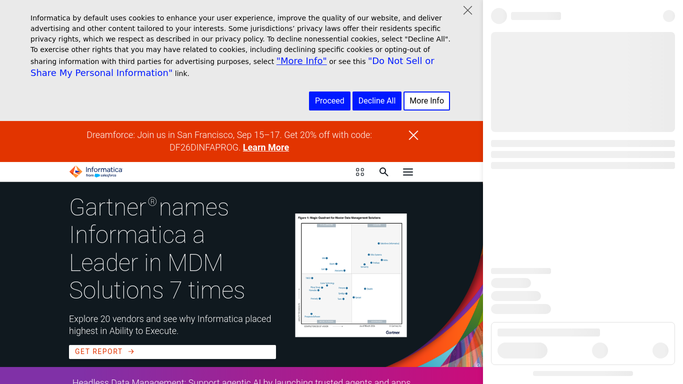
WebRun opens Informatica to review last week's job runs. - Sign in to Informatica and open the job run history for the last seven days
- For each job, count successful runs, failed runs, and retries
- Capture the average and longest runtime per job
- Note jobs whose runtime grew noticeably against the previous week
Done when Every job has a success rate, a retry count, and runtime figures for the week.
-
2
Microsoft Teams - post the reliability scorecard
microsoft.com How to Automate Microsoft Teams

WebRun opens Microsoft Teams to post the reliability scorecard. - Post the weekly reliability scorecard to your data channel
- Rank jobs by success rate, lowest first, with failures and retries shown
- Add a runtime section naming jobs that got slower week on week
- Show the overall success rate across all jobs and how it moved
Done when The scorecard is in Teams, ranked by success rate with runtime drift called out.
-
3
WhatsApp - flag the worst offenders
whatsapp.com How to Automate WhatsApp

WebRun opens WhatsApp to flag the worst offenders. - Send the data lead a short WhatsApp summary
- Name the three least reliable jobs with their success rates
- Give the overall weekly success rate in one line
- Leave restarting, editing, and rescheduling any job to an engineer
Done when The data lead has the short version on WhatsApp.
How is each run configured?
Secure by default
Connect once, stays signed in
WebRun signs in once and keeps each session in a persistent environment, so every run picks up right where it left off.
Every action is checked against this policy before it runs.
Questions, answered
Will it restart or change my jobs?
No. WebRun reads run history in Informatica and never starts, stops, edits, or reschedules a job. Restarting a failed run stays with an engineer who can judge the downstream effect.
Where does the scorecard go?
Into your own Microsoft Teams data channel, plus a short WhatsApp message to the data lead. Both are internal, so run history and failure counts stay inside your team.
How does it spot a job getting slower?
It compares this week's average runtime against the previous week for the same job and names anything that grew noticeably, so gradual slowdowns surface before they become timeouts.
Related templates
Put this on autopilot.
Turn it on in minutes - or have our team set it up for you.