Keep your IBM Cloud resource inventory reconciled
Every Monday, WebRun opens the IBM Cloud console, lists every service instance across every resource group with its plan and region, reconciles it against your tracked inventory in Airtable, and creates a Notion task only for genuinely untracked instances.
- No credit card
- Under $0.01 per run
- Cancel anytime
What does WebRun do on every run?
The exact actions WebRun takes, in order - in plain language, so you can adjust anything.
-
WebRun signs in and gets to work
Opens
cloud.ibm.comin a real browser with your saved login - no setup, no API keys. -
1
IBM Cloud - list every service instance
ibm.com

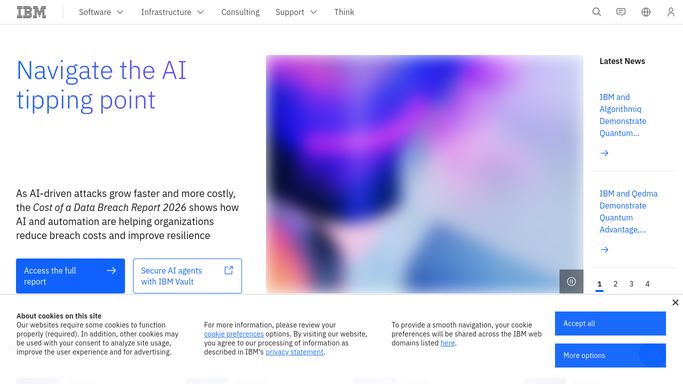
WebRun opens IBM Cloud to list every service instance. - Open the IBM Cloud console and list every service instance across every resource group
- Note each one's plan and region
- Capture the full live inventory
Done when Every active service instance is captured with its plan and region.
-
2
Airtable - reconcile against tracked inventory
airtable.com How to Automate Airtable
WebRun opens Airtable to reconcile against tracked inventory. - Compare the live list against the tracked inventory table
- Update records that changed
- Flag any instance that's new or any tracked record whose instance no longer exists
Done when Airtable matches the live IBM Cloud inventory with every change flagged.
-
3
Notion - create a task for anything untracked
notion.so How to Automate Notion
WebRun opens Notion to create a task for anything untracked. - Create a task on the infrastructure board for any untracked instance found
- Name the instance and ask for it to be claimed or removed
- Leave tracked, matching instances off the board
Done when A Notion task exists only for genuinely untracked instances.


How do I keep my IBM Cloud resource inventory reconciled and accounted for?
WebRun lists every service instance across every resource group on your IBM Cloud account each Monday and reconciles it against your tracked inventory in Airtable. It flags anything new or missing, updates the table to match, and creates a Notion task only for genuinely untracked instances, so nothing on a large enterprise account runs unaccounted for.
- Every service instance gets reconciled against your inventory weekly
- Untracked resources get caught before they run up a bill
- Only genuinely untracked instances create a Notion task
Built for Enterprise IT teams · cloud infrastructure admins · DevOps teams · platform engineers
How is each run configured?
Secure by default
Connect once, stays signed in
WebRun signs in once and keeps each session in a persistent environment, so every run picks up right where it left off.
Every action is checked against this policy before it runs.
Questions, answered
Will it delete or deprovision an untracked instance on its own?
No. WebRun only compares the live account against your tracked inventory and reports the difference. Deleting or deprovisioning an instance always stays a manual decision your team makes in IBM Cloud.
What counts as an untracked instance?
Any service instance running on the account with no matching record in your Airtable inventory, which usually means it was provisioned outside the normal process.
Does it check every resource group on the account?
Yes. It reviews every service instance across every resource group each week, not just one project.
Related templates
Put this on autopilot.
Turn it on in minutes - or have our team set it up for you.