Keep pending shift swaps from piling up
Every morning, WebRun opens Humanity, checks pending shift swap and open-shift requests, logs each one with its status in Google Sheets, and emails the scheduling manager a summary flagging anything pending over 24 hours.
- No credit card
- Under $0.01 per run
- Cancel anytime
What does WebRun do on every run?
The exact actions WebRun takes, in order - in plain language, so you can adjust anything.
-
WebRun signs in and gets to work
Opens
humanity.comin a real browser with your saved login - no setup, no API keys. -
1
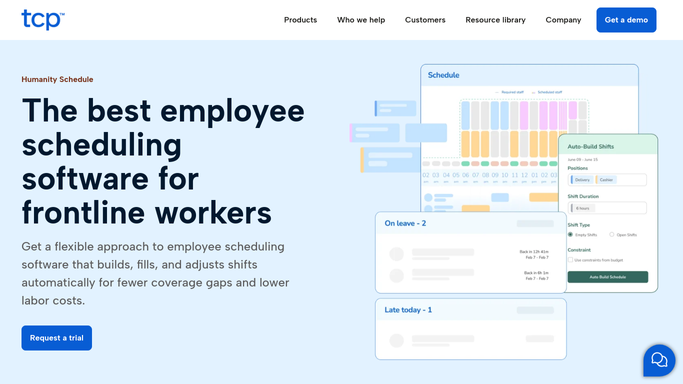
Humanity - check pending shift swap requests
humanity.com

WebRun opens Humanity to check pending shift swap requests. - Open Humanity and list pending shift swap and open-shift requests
- Check how long each has been pending approval
- Note any request older than 24 hours
Done when Every pending swap request has a pending duration.
-
2
Google Sheets - log swap requests and approvals
google.com How to Automate Google Sheets
WebRun opens Google Sheets to log swap requests and approvals. - Log each swap request with requester, shift, and status
- Update the log as requests are approved or denied
- Keep a running history for scheduling patterns
Done when Every swap request this week is logged with its current status.
-
3
Gmail - email the scheduling manager a summary
gmail.com How to Automate Gmail
WebRun opens Gmail to email the scheduling manager a summary. - Email the scheduling manager a summary of pending requests
- Flag anything pending over 24 hours first
- Send to the internal scheduling team only
Done when The scheduling manager has today's pending swap summary by email.


How do I keep pending Humanity shift swap requests from piling up?
WebRun checks Humanity every morning for pending shift swap and open-shift requests, logs each one with its status in Google Sheets, and emails the scheduling manager a summary flagging anything pending over 24 hours. It never approves or denies a request itself. The scheduling manager makes every swap decision in Humanity.
- Scheduling managers see pending swaps every morning, not days later
- Requests over 24 hours old are flagged first
- No swap is approved or denied without a human
Built for Scheduling managers · Retail operations · Hospitality managers · Shift-based businesses
How is each run configured?
Secure by default
Connect once, stays signed in
WebRun signs in once and keeps each session in a persistent environment, so every run picks up right where it left off.
Every action is checked against this policy before it runs.
Questions, answered
Does it approve or deny shift swaps?
No. WebRun only reads pending requests from Humanity and summarizes them. Every approval decision stays with the scheduling manager.
Does it message employees about their swap request?
No. It only emails the internal scheduling manager. Employees see their request status directly in Humanity.
How old does a request need to be to get flagged?
Anything still pending after 24 hours is flagged first, so nothing sits unanswered over a shift change.
Related templates
Put this on autopilot.
Turn it on in minutes - or have our team set it up for you.