Export your full Hover domain portfolio every month
Every month, WebRun opens Hover, reads the expiry date and WHOIS privacy status for every domain, exports the full portfolio to Google Sheets as the running record, and keeps a summary doc current in Notion flagging any domain missing WHOIS privacy.
- No credit card
- Under $0.01 per run
- Cancel anytime
What does WebRun do on every run?
The exact actions WebRun takes, in order - in plain language, so you can adjust anything.
-
WebRun signs in and gets to work
Opens
www.hover.comin a real browser with your saved login - no setup, no API keys. -
1
Hover - list every domain
hover.com

WebRun opens Hover to list every domain. - Open the Hover account and list every domain on it
- Read each one's expiry date and WHOIS privacy status
- Capture the complete portfolio
Done when Every domain on the account is captured with its expiry and privacy status.
-
2
Google Sheets - export the portfolio
google.com How to Automate Google Sheets
WebRun opens Google Sheets to export the portfolio. - Export the full portfolio as a row per domain, updating any that changed since last month
- Keep the sheet as the running record
Done when The sheet matches the live Hover portfolio.
-
3
Notion - update the summary doc
notion.so How to Automate Notion
WebRun opens Notion to update the summary doc. - Update the summary doc with the total domain count and any domain missing WHOIS privacy
- Link to the full sheet
Done when The Notion summary doc reflects this month's portfolio.
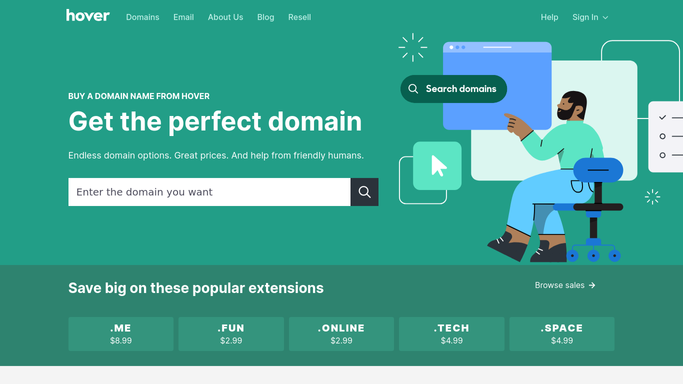


How do I keep a full export of my Hover domain portfolio?
WebRun exports your entire Hover domain portfolio every month, reading the expiry date and WHOIS privacy status for every domain. It updates the full list in Google Sheets as the running record and keeps a summary doc current in Notion, flagging any domain missing WHOIS privacy, so your portfolio stays accounted for and protected.
- The full domain portfolio stays exported and current every month
- Domains missing WHOIS privacy get flagged specifically
- Sheets becomes a searchable single source of truth
Built for Domain portfolio managers · freelance developers · small business owners · IT admins
How is each run configured?
Secure by default
Connect once, stays signed in
WebRun signs in once and keeps each session in a persistent environment, so every run picks up right where it left off.
Every action is checked against this policy before it runs.
Questions, answered
Will it change WHOIS privacy or renew a domain on its own?
No. WebRun only reads and exports portfolio data. Changing WHOIS privacy or renewing a domain always stays a manual step you take in Hover.
Why flag domains missing WHOIS privacy specifically?
A domain without WHOIS privacy exposes your contact details publicly, so it's called out separately from domains already protected.
Does it cover every domain, even ones not actively used?
Yes. It exports every domain on the account each month, including ones parked or not pointed anywhere yet.
Related templates
Put this on autopilot.
Turn it on in minutes - or have our team set it up for you.