Stop scheduled posts from missing their slot in approval
Every morning, WebRun opens your Hootsuite publishing calendar, finds the drafts and scheduled posts that are written but still unapproved, works out which of them are due to go live today, logs each one in Airtable with its social account and publish time, and messages your approvers on WhatsApp.
- No credit card
- Under $0.01 per run
- Cancel anytime
How do I stop scheduled social posts from missing their slot in approval?
Every morning, WebRun opens your Hootsuite publishing calendar, finds the drafts and scheduled posts still waiting on approval, and checks which are due to publish today. It logs each one in Airtable with its account and publish time, then messages your approvers on WhatsApp so the decision happens before the slot.
- Campaign posts get a decision before their publish time, not after it
- Approvers see what is waiting on them every morning in one message
- Posts that missed their slot are flagged for rescheduling instead of disappearing
Built for social media managers · marketing agencies · brand teams · content approvers
What does WebRun do on every run?
The exact actions WebRun takes, in order - in plain language, so you can adjust anything.
-
WebRun signs in and gets to work
Opens
hootsuite.com/loginin a real browser with your saved login - no setup, no API keys. -
1
Hootsuite - find posts awaiting approval
hootsuite.com
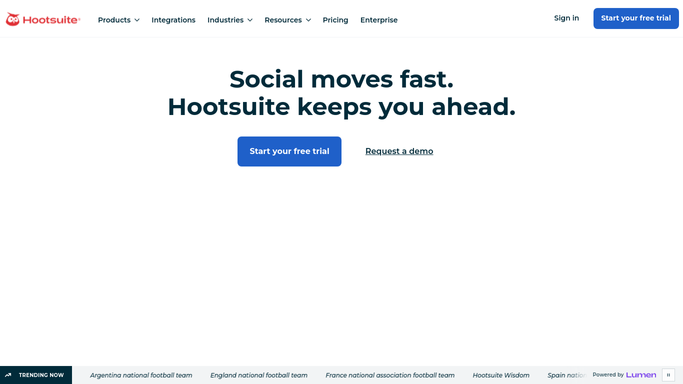
WebRun opens Hootsuite to find posts awaiting approval. - Open Hootsuite and go to the publishing calendar for every social account you manage
- Collect the drafts and scheduled posts that are written but still carry an unapproved status
- Note the social account, the scheduled publish time, the author, and who has to approve
- Mark the ones scheduled to go live today or tomorrow as urgent
- Read only. WebRun never approves or publishes a post itself
Done when Every post sitting in approval is listed with its account, publish time, and approver.
-
2
WhatsApp - nudge the approvers
whatsapp.com How to Automate WhatsApp

WebRun opens WhatsApp to nudge the approvers. - Post a short internal message to your social team group
- Lead with the posts due to publish today and how many hours are left on each
- Name the approver against each post and list the account it goes to
- Keep it to your internal group. Nothing is sent to a follower or a client
Done when The approvers group has this morning's decision list with the hours remaining on each post.
-
3
Airtable - log the approval queue
airtable.com How to Automate Airtable

WebRun opens Airtable to log the approval queue. - Open the approval tracker base and add a row per post waiting on a decision
- Fill in the social account, publish time, author, approver, and how long it has been in review
- Update rows for posts that were approved or published since the last run and close them off
- Flag any post that has already missed its publish time so it can be rescheduled
Done when The tracker shows every post in review, how long it has waited, and which ones missed their slot.
How is each run configured?
Secure by default
Connect once, stays signed in
WebRun signs in once and keeps each session in a persistent environment, so every run picks up right where it left off.
Every action is checked against this policy before it runs.
Questions, answered
Will it approve or publish posts for me?
No. WebRun only reads the approval status in Hootsuite and reports it. Approving and publishing stay with the human who owns the account, and nothing goes to a follower without them.
How does it decide what is urgent?
By publish time. Any unapproved post scheduled to go live today or tomorrow leads the WhatsApp message, with the hours remaining shown next to it.
What happens to a post that already missed its slot?
It is flagged in the Airtable tracker as missed, so you can reschedule it rather than discovering an empty calendar day later in the week.
Related templates
Put this on autopilot.
Turn it on in minutes - or have our team set it up for you.