Chase Hindenburg episode edits that are overdue
Every morning, WebRun checks Google Calendar for recording sessions from the past week, checks Hindenburg for a matching project and export, flags any recording with no edit started after 2 days, and posts a Microsoft Teams reminder naming the assigned editor.
- No credit card
- Under $0.01 per run
- Cancel anytime
What does WebRun do on every run?
The exact actions WebRun takes, in order - in plain language, so you can adjust anything.
-
WebRun signs in and gets to work
Opens
hindenburg.comin a real browser with your saved login - no setup, no API keys. -
1
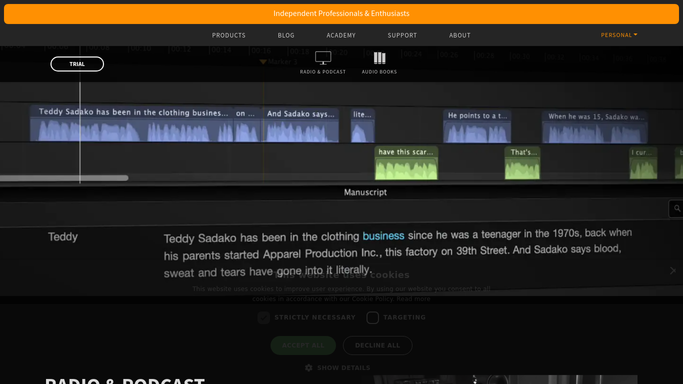
Hindenburg - check edit and export status
hindenburg.com

WebRun opens Hindenburg to check edit and export status. - Open the project list in Hindenburg
- Check whether each recent recording has a started or exported edit
- Note each project's last-saved date
Done when Every recent recording has a matched project status in Hindenburg.
-
2
Google Calendar - list recent recording sessions
calendar.google.com How to Automate Google Calendar
WebRun opens Google Calendar to list recent recording sessions. - List recording sessions from the past 7 days
- Capture the assigned host or editor for each
- Match each session to its Hindenburg project
Done when Every recording session from the past week is listed with its assigned editor.
-
3
Microsoft Teams - remind the assigned editor
microsoft.com How to Automate Microsoft Teams
WebRun opens Microsoft Teams to remind the assigned editor. - Find recordings with no edit started after 2 days
- Post a reminder naming the assigned editor
- Skip anything already in progress
Done when A reminder has been posted for every overdue edit, or none if everything is on track.


How do I catch Hindenburg episode edits before they're overdue?
WebRun checks Google Calendar every morning for recording sessions from the past week and matches each one to its project in Hindenburg. Any recording with no edit started after 2 days gets posted to Microsoft Teams with the assigned editor's name, so an episode never quietly misses its publish date.
- Overdue episode edits get caught within 2 days
- Editors get named directly in the Teams reminder
- No recording slips past its planned publish date unnoticed
Built for Podcast producers · Journalists · Audio editors · Podcast networks
How is each run configured?
Secure by default
Connect once, stays signed in
WebRun signs in once and keeps each session in a persistent environment, so every run picks up right where it left off.
Every action is checked against this policy before it runs.
Questions, answered
Does it edit or export the episode itself?
No. WebRun only checks project status and reminds the assigned editor. All editing and exporting is still done by a person in Hindenburg.
How does it know who's assigned?
It reads the host or editor listed on the Google Calendar recording session, so the Teams reminder always goes to the right person.
What if editing already started?
Any project with save or export activity in Hindenburg is treated as in progress and skipped from the overdue list.
Related templates
Put this on autopilot.
Turn it on in minutes - or have our team set it up for you.