Chase missing customer documents so your deals do not stall
Every morning, WebRun scans e-Emphasys for open sales deals and rental contracts that are missing required documents, checks DocuSign for any pending signature envelopes, and drafts a chaser email in Gmail for each customer who has not yet completed their paperwork.
- No credit card
- Under $0.01 per run
- Cancel anytime
What does WebRun do on every run?
The exact actions WebRun takes, in order - in plain language, so you can adjust anything.
-
WebRun signs in and gets to work
Opens
e-emphasys.com/home/solutionsin a real browser with your saved login - no setup, no API keys. -
1
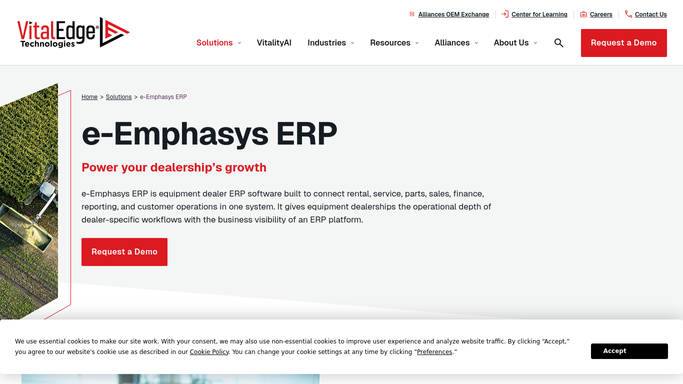
e-Emphasys - find deals with missing documents
e-emphasys.com How to Automate e-Emphasys

WebRun opens e-Emphasys to find deals with missing documents. - Open e-Emphasys and filter open deals and rental contracts to those flagged as missing required documents
- Capture the customer name, deal type, document checklist status, and days pending for each
- Note the contact email for follow-up
Done when All deals with incomplete document checklists are identified.
-
2
DocuSign - check for pending envelopes
docusign.com How to Automate DocuSign
WebRun opens DocuSign to check for pending envelopes. - Check DocuSign for any sent envelopes that are still unsigned or awaiting completion
- Cross-reference with the e-Emphasys deal list to see which customers have pending signatures
- Note the envelope sent date to determine how long the document has been outstanding
Done when Pending DocuSign envelopes are matched to e-Emphasys deals.
-
3
Gmail - draft document chaser emails
gmail.com How to Automate Gmail
WebRun opens Gmail to draft document chaser emails. - Draft a courteous chaser email for each customer, listing the specific documents still needed
- Reference the deal or rental reference number so the customer knows exactly which transaction it is
- Save each email as a Gmail draft for your team to review and send. Never send automatically
Done when A draft chaser email is queued for every customer with outstanding paperwork.


How do I automatically follow up on missing documents for equipment deals and rentals?
WebRun checks e-Emphasys every morning for open deals and rentals with incomplete document checklists, checks DocuSign for unsigned envelopes, and drafts a polite chaser email in Gmail for every customer who has not submitted their paperwork. Drafts are queued for team review before any email reaches a customer.
- No deal stalls because a document chaser was forgotten
- Chaser emails are ready to send each morning without admin effort
- DocuSign envelope status and e-Emphasys records are checked together in one pass
Built for heavy equipment dealers · equipment rental companies · dealer finance and admin teams
How is each run configured?
Secure by default
Connect once, stays signed in
WebRun signs in once and keeps each session in a persistent environment, so every run picks up right where it left off.
Every action is checked against this policy before it runs.
Questions, answered
Will it email customers on its own?
No. Every chaser is saved as a Gmail draft for your team to review. Nothing is sent to a customer without a team member approving it first.
What documents does it track?
It checks the document checklist on each deal in e-Emphasys, so it tracks whatever your team marks as required: insurance certificates, signed credit applications, proof of ownership, or any custom items.
What if a customer already submitted their documents but the record is not updated yet?
Your team can mark the checklist complete in e-Emphasys at any time, and that customer will be skipped on the next run.
Related templates
Put this on autopilot.
Turn it on in minutes - or have our team set it up for you.