Automated Heap Tracking Coverage Audit
Every Monday, WebRun opens Heap, goes through your event definitions, compares last week's volume against the weeks before it, finds events that stopped collecting or never collected at all, opens a Trello card for each break, and sends you a WhatsApp summary of where tracking coverage is broken.
How do I find analytics events that stopped tracking after a release?
WebRun audits your Heap event definitions every Monday, comparing last week's volume against prior weeks to find events that stopped collecting after a release or never collected at all. It opens a Trello card per break and sends a WhatsApp coverage summary, so nobody builds a decision on an empty chart.
- Events that went quiet after a release are named the following Monday
- Every break has a Trello card with the affected funnels listed
- A site-wide traffic drop is separated from a real tracking failure
Built for product analysts · growth teams · engineering teams · data teams
What does WebRun do on every run?
The exact actions WebRun takes, in order - in plain language, so you can adjust anything.
-
WebRun signs in and gets to work
Opens
heap.ioin a real browser with your saved login - no setup, no API keys. -
1
Heap - audit event definitions
heap.io
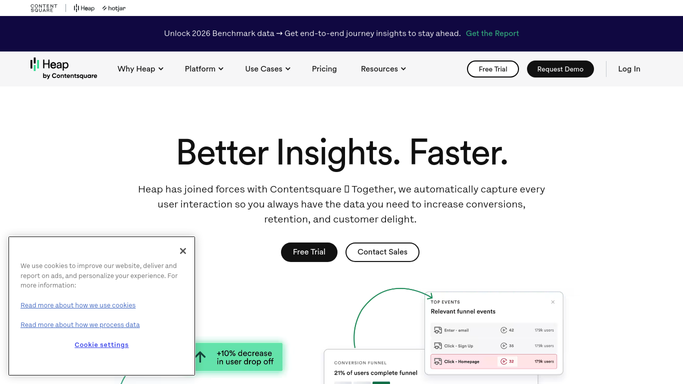
WebRun opens Heap to audit event definitions. - Open Heap and list the event definitions your team relies on
- Read last week's volume for each one and compare it against the previous few weeks
- Flag events whose volume dropped to zero or fell off sharply after a release
- Flag defined events that have never collected any data at all
- Check the funnels and user properties built on those events so the downstream impact is named
- Note total sessions for the week so a site-wide traffic drop is not mistaken for broken tracking
Done when Every event definition has a volume comparison and a healthy or broken verdict.
-
2
Trello - open a card per break
trello.com

WebRun opens Trello to open a card per break. - Open a card on the engineering board for each event that stopped collecting
- Title it with the event name and what happened, such as zero volume since a given date
- Put the previous weeks' volume, the date it went quiet and the funnels affected in the description
- Add a separate card for events that have never collected data, since those are usually a definition problem
- Skip events that already have an open card from a previous week
Done when Every broken event has a Trello card with its history and downstream impact.
-
3
WhatsApp - send the coverage summary
whatsapp.com

WebRun opens WhatsApp to send the coverage summary. - Send yourself the coverage summary: events healthy, events that went quiet and events never collecting
- Name the funnels that now rest on a broken event
- Include total sessions for the week so a traffic change is separated from a tracking failure
Done when You have this week's tracking coverage summary on WhatsApp.
How is each run configured?
Secure by default
Connect once, stays signed in
WebRun signs in once and keeps each session in a persistent environment, so every run picks up right where it left off.
Every action is checked against this policy before it runs.
Questions, answered
Will it change my event definitions?
No. WebRun reads event definitions, volumes and funnels. It never edits a definition, never deletes an event and never changes a funnel. Every fix is written up as a Trello card for an engineer to action.
How does it tell broken tracking from a quiet week?
It reads total sessions alongside each event's volume. A drop in one event while sessions hold steady reads as broken tracking, and a fall across everything reads as a traffic change and is called out as such.
Does it catch events that never worked?
Yes. Defined events with no data at all are listed separately from events that went quiet, because those are usually a definition problem rather than a release regression.
Related templates
Put this on autopilot.
Turn it on in minutes - or have our team set it up for you.