Keep every van taxed and its MOT in date
Every Monday, WebRun opens the GOV.UK vehicle services, looks up each registration number on your fleet list, reads the MOT expiry date, the latest test result, and the vehicle tax status, posts the expiry order to Slack, and gives the depot a Microsoft Teams summary.
- No credit card
- Under $0.01 per run
- Cancel anytime
How do I track MOT expiry and vehicle tax across a fleet?
WebRun checks your fleet against the GOV.UK vehicle services every Monday. It looks up each registration for MOT expiry, the latest test result, and tax status, posts the vehicles in expiry order to Slack, and gives the depot a Microsoft Teams summary of what to book.
- No van goes out untaxed or with a lapsed MOT
- Tests get booked 30 days ahead instead of the week it expires
- Last year's advisory notes are read before this year's test
Built for fleet managers · trades businesses · delivery operators · operations managers
What does WebRun do on every run?
The exact actions WebRun takes, in order - in plain language, so you can adjust anything.
-
WebRun signs in and gets to work
Opens
www.gov.ukin a real browser with your saved login - no setup, no API keys. -
1
GOV.UK - check MOT expiry and tax status
gov.uk
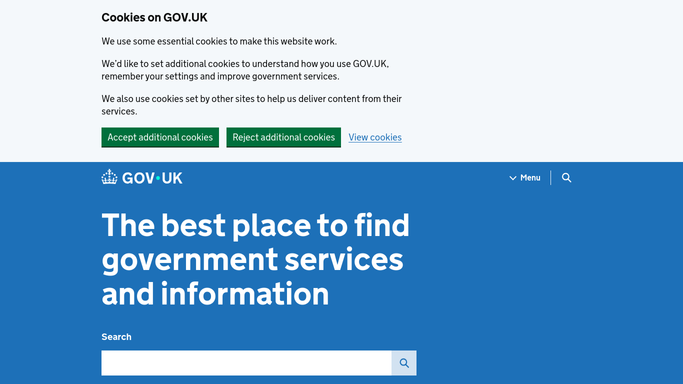
WebRun opens GOV.UK to check MOT expiry and tax status. - Open the GOV.UK vehicle services and look up each registration on your fleet list
- Read the MOT expiry date and the result of the most recent test
- Read the vehicle tax status and note anything not showing as taxed
- Capture any advisory items recorded on the last test, since those become failures later
- Count the days until each MOT expiry
- Never pay tax, book a test, or submit anything. WebRun checks records and reports
Done when Every registration on the fleet list has an MOT expiry date and a tax status recorded.
-
2
Slack - post what expires next
slack.com How to Automate Slack

WebRun opens Slack to post what expires next. - Post the fleet list to the operations channel in expiry order, soonest first
- Show each vehicle with its registration, MOT expiry, days remaining, and tax status
- Put any vehicle showing as untaxed at the very top
- Add the advisory notes from the last test underneath each vehicle due soon
Done when Operations can see this week's expiry order in Slack.
-
3
Microsoft Teams - brief the depot
microsoft.com How to Automate Microsoft Teams

WebRun opens Microsoft Teams to brief the depot. - Send the depot a short Microsoft Teams summary of what needs booking this month
- Lead with any vehicle that must not go out: untaxed or MOT already expired
- Name the vehicles due in the next 30 days so tests get booked ahead
- Keep the message internal to your team
Done when The depot knows which vehicles to book and which to keep off the road.
How is each run configured?
Secure by default
Connect once, stays signed in
WebRun signs in once and keeps each session in a persistent environment, so every run picks up right where it left off.
Every action is checked against this policy before it runs.
Questions, answered
Will it pay vehicle tax or book an MOT?
No. WebRun looks up vehicle records and reports what it finds. Paying tax, booking a test, or submitting anything to a government service stays a human action, so no money is spent on your behalf.
Where do the dates come from?
From the GOV.UK vehicle services, looked up by registration number. The run reports the MOT expiry date, the latest test result, and the tax status exactly as those records show them.
What about the advisory notes on a test?
They are included under any vehicle due soon, because an advisory recorded last year is the item that fails this year. Seeing them ahead of the booking lets the garage fix the right thing first.
Related templates
Put this on autopilot.
Turn it on in minutes - or have our team set it up for you.