Turn yesterday's webinar into a follow-up list
The morning after each session, WebRun signs in to GoTo Webinar, opens the attendance report, records who registered, who attended, and how long each person stayed, builds a Notion page with the no-shows and the most engaged attendees split out, and sends the headline numbers to your Telegram channel.
- No credit card
- Under $0.01 per run
- Cancel anytime
How do I turn webinar attendance into a follow-up list?
The morning after each session, WebRun opens GoTo Webinar and pulls the attendance report: who registered, who attended, and how long each stayed. It builds a Notion page ranking engaged attendees and listing no-shows, then sends the headline numbers to Telegram, so follow-up starts with facts.
- Follow-up starts the morning after, not next week
- Engaged attendees are ranked by minutes actually watched
- The no-show list is ready to re-invite without exporting anything
Built for marketing teams · demand generation · training providers · B2B sales
What does WebRun do on every run?
The exact actions WebRun takes, in order - in plain language, so you can adjust anything.
-
WebRun signs in and gets to work
Opens
myaccount.goto.comin a real browser with your saved login - no setup, no API keys. -
1
GoTo Webinar - pull the attendance report
gotowebinar.com
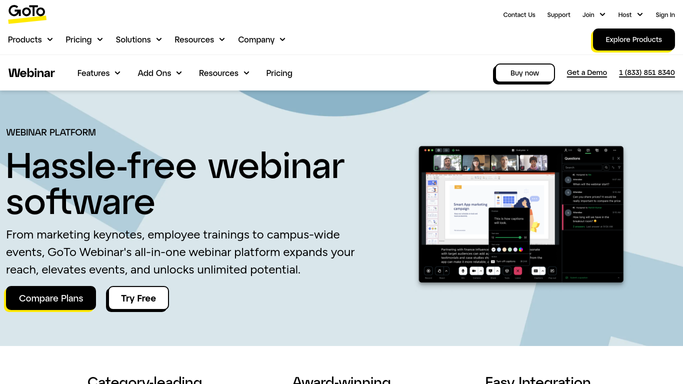
WebRun opens GoTo Webinar to pull the attendance report. - Sign in and open the session that ran yesterday
- Record how many registered and how many actually attended
- Capture each attendee's name, email, join time, and minutes attended
- Note the poll and survey responses the session collected
Done when Registration, attendance, and time in session are captured for the webinar.
-
2
Notion - build the follow-up page
notion.so How to Automate Notion

WebRun opens Notion to build the follow-up page. - Create a Notion page named for the session and its date
- Show registered, attended, and the attendance rate at the top
- List the most engaged attendees first, ranked by minutes in the session
- Put the no-shows in their own table so a re-invite list is ready to use
- Paste the poll and survey answers underneath for context
Done when The session has a complete Notion report with attendees and no-shows split out.
-
3
Telegram - send the headline numbers
telegram.org How to Automate Telegram

WebRun opens Telegram to send the headline numbers. - Send the headline to your marketing channel: registered, attended, attendance rate
- Name the five attendees who stayed longest so sales can prioritise them
- Say how the attendance rate compares with your recent sessions
- Never email attendees or no-shows. The follow-up is written by a person
Done when The team has yesterday's webinar headline on Telegram.
How is each run configured?
Secure by default
Connect once, stays signed in
WebRun signs in once and keeps each session in a persistent environment, so every run picks up right where it left off.
Every action is checked against this policy before it runs.
Questions, answered
Will it email attendees the recording?
No. WebRun builds the internal report only. Follow-up emails and recording links are written and sent by a person, so nothing reaches an attendee unreviewed.
How does it decide who is most engaged?
By minutes actually attended, taken straight from the GoTo Webinar attendance report, with poll and survey responses shown alongside for context.
What if a session was cancelled?
Nothing is created. WebRun only builds a report when a session actually ran and has attendance data, so your Notion space stays free of empty pages.
Related templates
Put this on autopilot.
Turn it on in minutes - or have our team set it up for you.