Turn missed calls into follow-up cards nobody forgets
Every hour, WebRun opens Google Voice, finds calls that went unanswered and voicemails left since the last run, creates a Trello card for each caller with the number, time, and voicemail transcript, and posts the open callback list to your Microsoft Teams channel.
- No credit card
- Under $0.01 per run
- Cancel anytime
How do I make sure missed calls always get a callback?
WebRun checks Google Voice every hour for missed calls and new voicemails, then opens a Trello card for each caller carrying the number, the time, and the voicemail transcript. It posts the open callback list to Microsoft Teams ranked by how long each caller has waited, so no missed call goes unreturned.
- Every missed caller has a tracked card within the hour
- The oldest uncalled number is always at the top of the list
- Voicemail transcripts sit on the card, so nobody replays a message
Built for small business owners · clinics · trades and field service · front-desk teams
What does WebRun do on every run?
The exact actions WebRun takes, in order - in plain language, so you can adjust anything.
-
WebRun signs in and gets to work
Opens
voice.google.comin a real browser with your saved login - no setup, no API keys. -
1
Google Voice - find missed calls and voicemails
voice.google.com
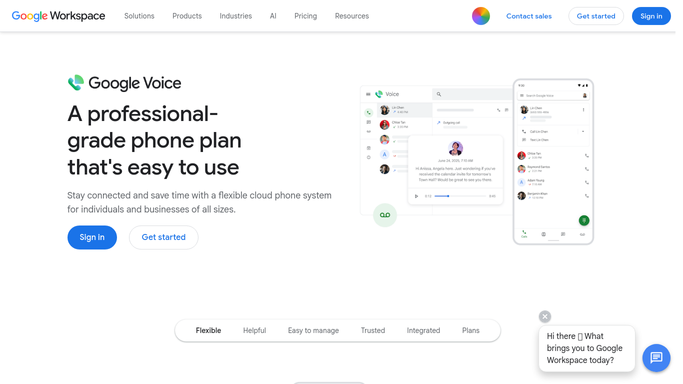
WebRun opens Google Voice to find missed calls and voicemails. - Open Google Voice and review Calls and Voicemail
- Capture every missed call and new voicemail since the last run
- Note the caller number, the time, and the voicemail transcript where one exists
- Skip numbers you already called back and any number on your ignore list
Done when Every new missed call and voicemail is listed with its caller and time.
-
2
Trello - open a callback card for each
trello.com How to Automate Trello

WebRun opens Trello to open a callback card for each. - Open your Callbacks board in Trello
- Create one card per missed caller titled with the number and the time
- Paste the voicemail transcript into the card description
- Put the card in the To Call list and set a due date for today
Done when Every missed caller has a Trello card in the To Call list.
-
3
Microsoft Teams - post the open callback list
microsoft.com How to Automate Microsoft Teams

WebRun opens Microsoft Teams to post the open callback list. - Post the new callbacks to your front-desk channel in Microsoft Teams
- Put the oldest uncalled number first and show how long it has waited
- Keep the post internal. Never text or call the customer from this run
Done when The team can see every open callback in Teams.
How is each run configured?
Secure by default
Connect once, stays signed in
WebRun signs in once and keeps each session in a persistent environment, so every run picks up right where it left off.
Every action is checked against this policy before it runs.
Questions, answered
Will it text or call the customer back automatically?
No. WebRun only creates internal Trello cards and posts to your Teams channel. It never sends a text or places a call. If you want an SMS reply, WebRun drafts it and a person approves it before it goes out.
How does it avoid duplicate cards for the same caller?
It checks the Callbacks board first and updates the existing card instead of creating a second one, so a caller who tried three times gets one card with three attempts logged.
Can it ignore spam numbers?
Yes. Give WebRun an ignore list of numbers or prefixes and those calls are skipped entirely, so your board only fills with callers worth ringing back.
Related templates
Put this on autopilot.
Turn it on in minutes - or have our team set it up for you.