Find the broken links in your docs before readers do
Every Monday, WebRun opens your GitBook space, follows the links on every published page, records the ones that fail along with missing images and empty pages, saves the audit as a dated file in Google Drive, and sends the headline count to WhatsApp.
- No credit card
- Under $0.01 per run
- Cancel anytime
How do I find broken links in my documentation site?
WebRun walks your published GitBook space every Monday, opening each page and following its links to find dead targets, missing images, and empty pages. It files a dated audit in Google Drive and sends the broken link count, the trend, and the worst pages to WhatsApp.
- Dead links are found by you, not by a frustrated reader
- A weekly trend shows whether docs quality is improving
- Internal failures are separated from vendor pages that moved
Built for technical writers · developer relations · documentation teams · product managers
What does WebRun do on every run?
The exact actions WebRun takes, in order - in plain language, so you can adjust anything.
-
WebRun signs in and gets to work
Opens
gitbook.comin a real browser with your saved login - no setup, no API keys. -
1
GitBook - check every published page for dead links
gitbook.com
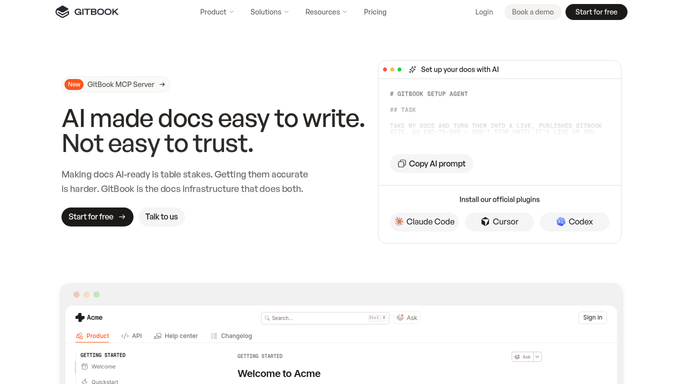
WebRun opens GitBook to check every published page for dead links. - Open your GitBook space and list every published page in the content tree
- Open each page and follow its internal and external links
- Record any link that fails, any image that does not load, and any page with no content
- Note the page each broken link sits on and whether the target is internal or external
Done when Every published page has been checked and each failure is recorded with its source page.
-
2
Google Drive - file the dated audit
drive.google.com How to Automate Google Drive

WebRun opens Google Drive to file the dated audit. - Open the documentation audits folder in Google Drive
- Save this week's findings as a dated file listing page, broken target, and failure type
- Group internal link failures first, since those are entirely inside your control
- Keep the previous weeks in place so you can see whether the count is falling
Done when This week's dated audit file is filed in Google Drive.
-
3
WhatsApp - send the headline count
whatsapp.com How to Automate WhatsApp

WebRun opens WhatsApp to send the headline count. - Send a WhatsApp message to your docs group with the totals
- Give the broken link count, the missing image count, and the change since last week
- Name the three pages carrying the most failures
- Never edit or unpublish a page. Fixes stay a human edit in GitBook
Done when The docs group has this week's link health message on WhatsApp.
How is each run configured?
Secure by default
Connect once, stays signed in
WebRun signs in once and keeps each session in a persistent environment, so every run picks up right where it left off.
Every action is checked against this policy before it runs.
Questions, answered
Will it edit or publish my docs?
No. WebRun reads your GitBook space and reports what it found. It never edits a page, fixes a link, unpublishes content, or pushes a change, so nothing readers see changes because of this run.
Does it check external links too?
Yes, and it lists them separately from internal ones. Internal failures are yours to fix straight away, while external failures often mean a vendor moved a page, which needs a different decision.
How long does a full space take?
It depends on how many published pages you have, since each page is opened and its links followed. Running it weekly outside working hours keeps it out of the way, and the audit file records exactly which pages were covered.
Related templates
Put this on autopilot.
Turn it on in minutes - or have our team set it up for you.