Get a weekly scorecard on your Ghost publication
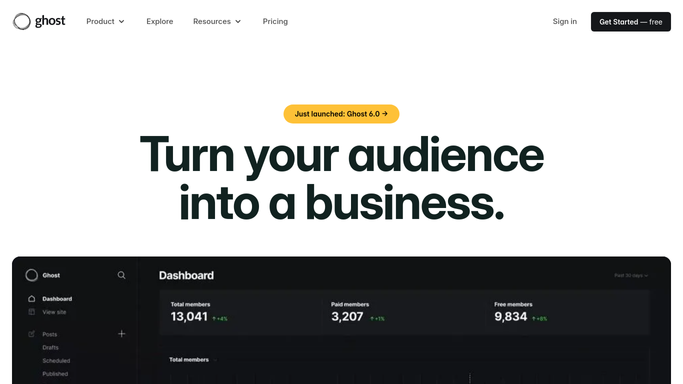
Every Monday, WebRun opens the Ghost admin dashboard, counts posts published and new members and reads the open rate on the latest newsletter send, attaches the scorecard as notes on your team's editorial review event in Google Calendar, and posts the same summary to Microsoft Teams.
- No credit card
- Under $0.01 per run
- Cancel anytime
What does WebRun do on every run?
The exact actions WebRun takes, in order - in plain language, so you can adjust anything.
-
WebRun signs in and gets to work
Opens
ghost.orgin a real browser with your saved login - no setup, no API keys. -
1
Ghost - review posts, members and opens
ghost.org

WebRun opens Ghost to review posts, members and opens. - Open the Ghost admin dashboard and review the week's activity
- Count posts published, new members, and read the newsletter open rate on the latest send
- Note the total member count
Done when The week's posts, member growth, and newsletter numbers are captured.
-
2
Google Calendar - attach notes to the review event
calendar.google.com How to Automate Google Calendar
WebRun opens Google Calendar to attach notes to the review event. - Open the team's recurring editorial review event
- Attach this week's scorecard as notes
- Keep last week's notes for comparison
Done when The review event has this week's scorecard attached.
-
3
Microsoft Teams - post the scorecard
microsoft.com How to Automate Microsoft Teams
WebRun opens Microsoft Teams to post the scorecard. - Post the scorecard to your editorial channel
- Show posts published, member growth, and newsletter open rate
- Flag if member growth is flat or down
Done when The team has this week's Ghost scorecard in Teams.


How do I track Ghost posts, member growth, and newsletter opens weekly?
WebRun reviews your Ghost publication every Monday, counting posts published and new members and reading the open rate on the latest newsletter send. It attaches the scorecard as notes on your team's editorial review event in Google Calendar and posts the same summary to Microsoft Teams, so the team walks into review already knowing how the week went.
- Every week gets a posts, member, and open rate review
- Flat or declining member growth gets flagged early
- The team walks into editorial review already informed
Built for Content teams · independent publishers · newsletter creators · marketing teams
How is each run configured?
Secure by default
Connect once, stays signed in
WebRun signs in once and keeps each session in a persistent environment, so every run picks up right where it left off.
Every action is checked against this policy before it runs.
Questions, answered
Will it publish a post or send a newsletter on its own?
No. WebRun only reads what's already published and sent, then reports on it. Publishing a post or sending a newsletter always stays a manual step in Ghost.
How is member growth tracked?
It compares this week's total member count against last week's, so the trend, not just a single day's number, is what shows up in the scorecard.
Does it cover every post and every newsletter send?
Yes. It reviews everything published and sent that week, not a hand picked subset.
Related templates
Put this on autopilot.
Turn it on in minutes - or have our team set it up for you.