Keep your list clean so your email lands
Every morning, WebRun opens GetResponse, reads the hard bounces, spam complaints, and unsubscribes from every send in the last 24 hours, writes the affected addresses into a cleanup sheet in Google Drive, and warns your marketing WhatsApp group when a rate crosses the limit you set.
- No credit card
- Under $0.01 per run
- Cancel anytime
How do I monitor bounce and complaint rates on my email campaigns?
WebRun opens GetResponse every morning and reads the hard bounces, spam complaints, and unsubscribes from yesterday's sends. It writes the affected addresses into a Google Drive cleanup sheet and warns your marketing WhatsApp group whenever a rate crosses the limit you set, protecting deliverability.
- Bounce and complaint spikes are caught the morning after a send
- A dated cleanup list is ready before the next campaign goes out
- Repeat soft bouncers are flagged before they turn into hard bounces
Built for email marketers · ecommerce marketing teams · agencies · newsletter publishers
What does WebRun do on every run?
The exact actions WebRun takes, in order - in plain language, so you can adjust anything.
-
WebRun signs in and gets to work
Opens
app.getresponse.comin a real browser with your saved login - no setup, no API keys. -
1
GetResponse - read bounces and complaints
getresponse.com
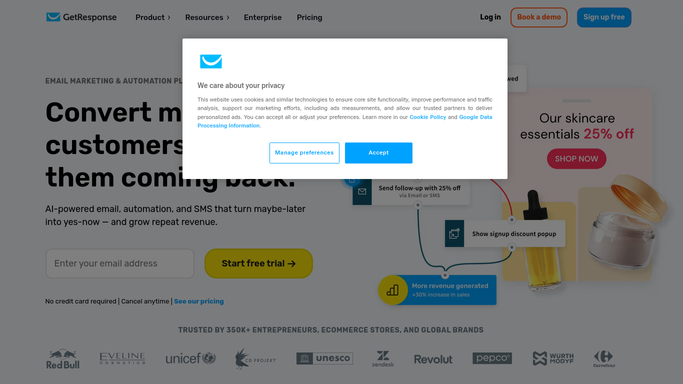
WebRun opens GetResponse to read bounces and complaints. - Sign in to GetResponse and open the reports for every message sent in the last 24 hours
- Record delivered, hard bounce, soft bounce, spam complaint, and unsubscribe counts for each send
- Capture the affected addresses and the list each one belongs to
Done when Yesterday's sends each have their bounce, complaint, and unsubscribe figures recorded.
-
2
Google Drive - save the cleanup list
drive.google.com How to Automate Google Drive

WebRun opens Google Drive to save the cleanup list. - Open your list hygiene sheet in Google Drive and append a row per send with all five figures
- Add the hard bounced and complaining addresses to a separate cleanup tab with the list name and date
- Highlight any address that has soft bounced on three or more consecutive sends
Done when The Drive sheet holds yesterday's rates and a dated cleanup tab of addresses to remove.
-
3
WhatsApp - warn you when a rate spikes
whatsapp.com How to Automate WhatsApp

WebRun opens WhatsApp to warn you when a rate spikes. - Post a WhatsApp warning when bounce, complaint, or unsubscribe rate goes above your limit
- Name the send, the rate, and how it compares with your last ten campaigns
- Stay quiet on mornings when every rate sits inside its normal range
Done when Marketing has been warned about any send whose rate broke a threshold.
How is each run configured?
Secure by default
Connect once, stays signed in
WebRun signs in once and keeps each session in a persistent environment, so every run picks up right where it left off.
Every action is checked against this policy before it runs.
Questions, answered
Will it delete contacts from my list?
No. WebRun builds the cleanup list in Google Drive and leaves the removal to you. It never deletes a contact, suppresses an address, or edits a list inside GetResponse.
Will it send or schedule any campaigns?
No. WebRun only reads campaign reports. It never sends a message, schedules a broadcast, edits an automation, or changes a template.
What rate should trigger a warning?
You set the limits. A common starting point is a hard bounce rate above two percent or a spam complaint rate above one in a thousand, and WebRun compares each send against your last ten so a spike stands out.
Related templates
Put this on autopilot.
Turn it on in minutes - or have our team set it up for you.