Chase the timesheets nobody filled in
Every Friday afternoon, WebRun signs into Harvest, reads the hours logged by each team member this week, works out who is short against their expected hours, sends you the chase list on WhatsApp, and posts the team totals to your Telegram group before the week closes.
- No credit card
- Under $0.01 per run
- Cancel anytime
How do I chase team members who have not filled in their timesheets?
WebRun checks Harvest every Friday afternoon and compares the hours each team member logged this week against their expected total. It sends you a named chase list on WhatsApp showing the gaps and blank days, then posts the team hours logged and billable totals to your Telegram group.
- Missing hours are chased on Friday rather than at invoice time
- Billable time is captured while the week is still fresh in memory
- The team sees totals without anyone being named in the group
Built for agency owners · consultancies · project managers · finance teams
What does WebRun do on every run?
The exact actions WebRun takes, in order - in plain language, so you can adjust anything.
-
WebRun signs in and gets to work
Opens
id.getharvest.comin a real browser with your saved login - no setup, no API keys. -
1
Harvest - check hours logged
getharvest.com
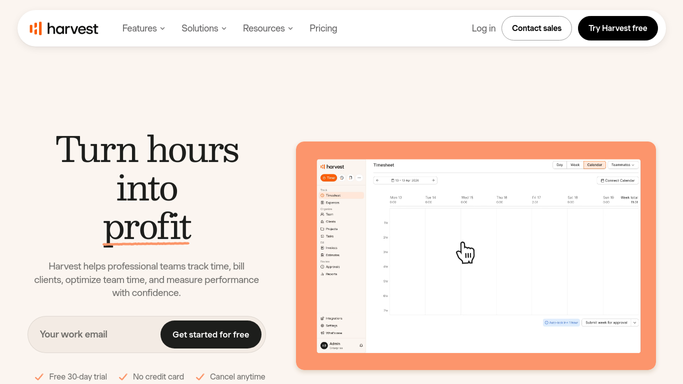
WebRun opens Harvest to check hours logged. - Sign into Harvest and open the team time report for this week
- Record hours logged per person for Monday through Friday
- Compare each person against their expected weekly hours
- Note which days are blank and whether the missing time sits on a billable project
Done when Every team member has a logged total and a gap figure for the week.
-
2
WhatsApp - send you the chase list
whatsapp.com How to Automate WhatsApp

WebRun opens WhatsApp to send you the chase list. - Send the chase list to yourself on WhatsApp
- List each person short on hours, the gap, and which days are blank
- Put the largest gaps first so the biggest billing risk is chased first
- Leave the actual chasing to you. WebRun never messages a team member directly
Done when You have this week's timesheet chase list on WhatsApp.
-
3
Telegram - post the team totals
telegram.org How to Automate Telegram

WebRun opens Telegram to post the team totals. - Post the team totals to your Telegram group
- Give total hours logged, total billable hours, and the number of people fully up to date
- Keep it to figures only, with no individual named, so the group post stays a nudge rather than a call-out
Done when The team group has this week's logged and billable totals.
How is each run configured?
Secure by default
Connect once, stays signed in
WebRun signs in once and keeps each session in a persistent environment, so every run picks up right where it left off.
Every action is checked against this policy before it runs.
Questions, answered
Will it message my team members directly?
No. The named chase list goes only to you on WhatsApp. The Telegram group post carries totals with no individual named, so nobody is called out in public.
Does it enter time on anyone's behalf?
No. WebRun reads the Harvest time report only. It never logs an hour, edits an entry, approves a timesheet, or changes a project.
What about part-time hours and time off?
You set the expected hours per person, and approved time off in Harvest is treated as covered, so part-time staff and people on leave are not flagged as short.
Related templates
Put this on autopilot.
Turn it on in minutes - or have our team set it up for you.