Catch a DNS record nobody meant to change
Every morning, WebRun signs in to Gandi, reads the DNS records and name servers for each domain you own, compares them against the approved copy stored in Google Drive, and drafts you a Gmail alert listing every record that differs from the known good set.
- No credit card
- Under $0.01 per run
- Cancel anytime
How do I get alerted when a DNS record changes unexpectedly?
WebRun signs in to Gandi every morning, reads the DNS records and name servers on every domain you own, and compares them against the approved baseline you keep in Google Drive. It drafts a Gmail alert listing each record that differs with its old and new value, so an unplanned MX or A change is caught the same day.
- An unplanned MX or A record change is seen the same morning
- Every domain's records are diffed against an approved baseline daily
- A dated history of DNS changes builds up in Drive without anyone keeping it
Built for IT leads · sysadmins · web agencies · hosting managers
What does WebRun do on every run?
The exact actions WebRun takes, in order - in plain language, so you can adjust anything.
-
WebRun signs in and gets to work
Opens
www.gandi.netin a real browser with your saved login - no setup, no API keys. -
1
Gandi - read every domain's DNS records
gandi.net
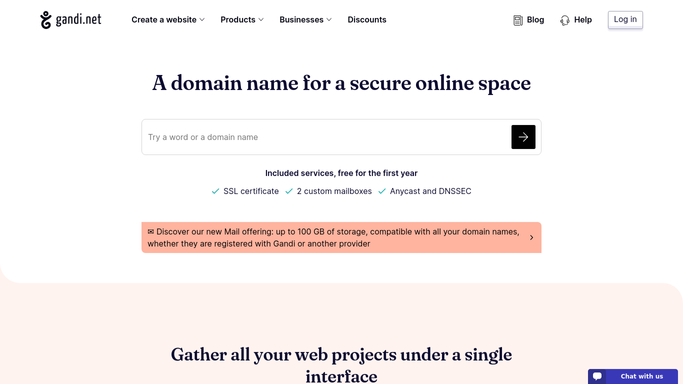
WebRun opens Gandi to read every domain's DNS records. - Sign in to Gandi and open the domain list
- For each domain, read the DNS records: A, MX, CNAME, TXT, and the TTL on each
- Record the name servers currently set for the domain
- Note any record added, removed, or edited since yesterday's reading
- Include mailbox related records because a broken MX stops mail silently
Done when Today's DNS records and name servers are captured for every domain.
-
2
Google Drive - compare against the approved copy
drive.google.com How to Automate Google Drive

WebRun opens Google Drive to compare against the approved copy. - Open the approved DNS baseline sheet you keep in Drive
- Compare today's live records against the approved values for each domain
- Mark every difference: value changed, record missing, record added, or TTL altered
- Append today's reading so the file holds a dated history of every change
Done when Live records are diffed against the approved baseline and the history is saved.
-
3
Gmail - draft the change alert
gmail.com How to Automate Gmail

WebRun opens Gmail to draft the change alert. - Draft an email listing every record that differs, with the domain, record type, old value, and new value
- Put MX and A record differences first because those take mail and sites down
- Leave the email as a draft for you to review and forward. WebRun does not email your team on its own
- Draft nothing on a morning when every record matches the baseline
Done when Any DNS difference has an alert email waiting in your drafts.
How is each run configured?
Secure by default
Connect once, stays signed in
WebRun signs in once and keeps each session in a persistent environment, so every run picks up right where it left off.
Every action is checked against this policy before it runs.
Questions, answered
Will it edit or roll back a DNS record?
No. WebRun only reads your Gandi records and reports differences. It never adds, edits, or deletes a record, and never changes a name server. Every correction is made by a human who has seen the diff.
Does it email my team automatically?
No. The alert is left as a Gmail draft for you to review and forward. Only the Google Drive history file is written without asking, and that is your own internal record.
What counts as a difference worth flagging?
Any change from your approved baseline: a value edited, a record added or removed, or a TTL altered. MX and A record differences are listed first because those break mail and sites fastest.
Related templates
Put this on autopilot.
Turn it on in minutes - or have our team set it up for you.