Know the moment a data source stops importing
Every morning, WebRun opens Funnel, checks each connected data source for import errors, expired credentials, or a missing last import, messages your team in WhatsApp naming every source that needs reconnecting and the dashboards it feeds, and files the health history in Google Drive.
- No credit card
- Under $0.01 per run
- Cancel anytime
How do I know when a marketing data source stops importing?
WebRun checks your Funnel data sources every morning. It reads the status of every connector, flags import errors, expired connections, and sources with no recent import, messages your team in WhatsApp with the affected dashboards named, and files the health history in Google Drive.
- A broken connector is known before a stakeholder reads the chart
- Every alert names the dashboards running on stale data
- A repeatedly failing source is visible in the Drive history
Built for analytics teams · marketing operations · agencies · data engineers
What does WebRun do on every run?
The exact actions WebRun takes, in order - in plain language, so you can adjust anything.
-
WebRun signs in and gets to work
Opens
app.funnel.ioin a real browser with your saved login - no setup, no API keys. -
1
Funnel - check every data source
funnel.io
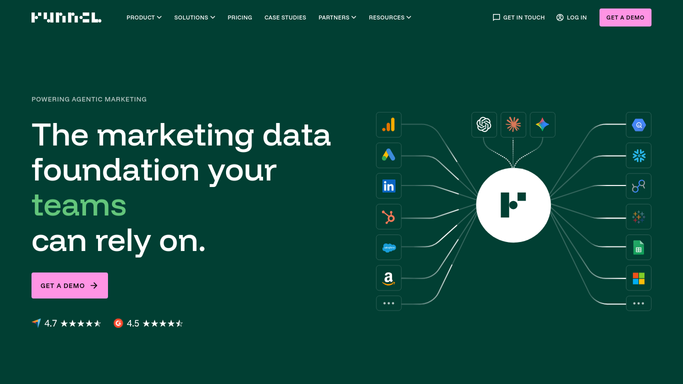
WebRun opens Funnel to check every data source. - Open Funnel and list every connected data source with its account
- Read the status of each one and note errors, expired connections, and any source whose last import is older than expected
- Capture which dashboards or exports depend on each affected source
Done when Every data source is marked healthy or flagged with the reason it failed.
-
2
WhatsApp - message the team about broken sources
whatsapp.com How to Automate WhatsApp

WebRun opens WhatsApp to message the team about broken sources. - Message your internal analytics group with the sources that need attention
- Name the source, the account, the error, and the hours since its last successful import
- List the dashboards affected so the team knows which numbers to distrust today
Done when The team has been told about every source that stopped importing.
-
3
Google Drive - file the health history
drive.google.com How to Automate Google Drive

WebRun opens Google Drive to file the health history. - Append today's status for every source to the health log in your analytics folder
- Record the date, the source, the status, and the time of its last successful import
- Keep the history so a connector that fails repeatedly is easy to identify
Done when Today's health check is filed in Google Drive alongside the history.
How is each run configured?
Secure by default
Connect once, stays signed in
WebRun signs in once and keeps each session in a persistent environment, so every run picks up right where it left off.
Every action is checked against this policy before it runs.
Questions, answered
Will it reconnect a source itself?
No. Reconnecting means signing in to an advertising or analytics account, so WebRun never does it. It names the source and the error, and a person reauthorizes it in Funnel.
Does it read the imported data?
No. This run reads connector status, accounts, and last import times. Campaign figures and spend stay inside Funnel and are never copied into a chat message.
Why does it list the dashboards?
So the team knows which reports are running on stale data that morning. A broken source usually shows as a flat line, and the alert says which chart to distrust.
Related templates
Put this on autopilot.
Turn it on in minutes - or have our team set it up for you.