Draft advisory fee rate-change notices for your CFO clients ready to review
When you trigger the annual fee review, WebRun opens QuickBooks to pull each client's current monthly retainer, checks their Fathom organisation activity to confirm the scope of services delivered, drafts a personalised rate-change notice email in Gmail for each client for your review, and posts a summary of all proposed changes to Slack before anything is sent.
- No credit card
- Under $0.01 per run
- Cancel anytime
What does WebRun do on every run?
The exact actions WebRun takes, in order - in plain language, so you can adjust anything.
-
WebRun signs in and gets to work
Opens
quickbooks.intuit.comin a real browser with your saved login - no setup, no API keys. -
1
QuickBooks - pull current retainer and billing history
- Open QuickBooks and navigate to the recurring invoices list
- Record the current monthly retainer amount and billing frequency for each client
- Note any clients who have not had a rate increase in the last 12 months
Done when Every client's current retainer amount and billing history is captured.
-
2
Fathom - confirm engagement scope and usage
fathomhq.com How to Automate Fathom

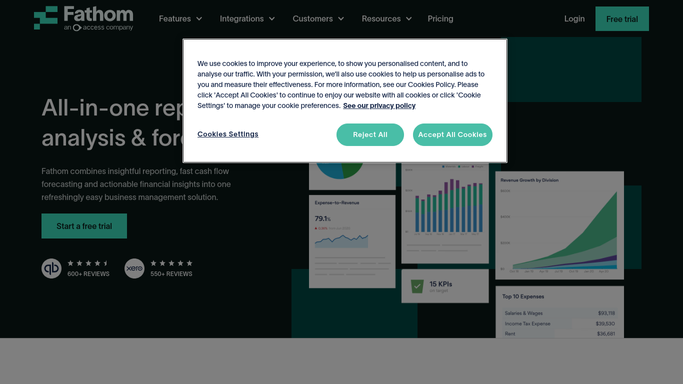
WebRun opens Fathom to confirm engagement scope and usage. - Open each client's Fathom organisation and review the number of reports generated and KPIs tracked in the last 12 months
- Note any clients where scope has expanded significantly, for example, consolidation reporting added or forecast models updated
- Flag clients whose current fee no longer reflects the scope of services delivered
Done when Each client has a scope-delivered summary and a flag if a rate adjustment is warranted.
-
3
Gmail - draft personalised rate-change notice
gmail.com How to Automate Gmail
WebRun opens Gmail to draft personalised rate-change notice. - Draft a personalised rate-change notice email for each client subject to a fee adjustment
- Reference the current retainer, the new proposed rate, the effective date, and a brief rationale based on scope
- Leave every draft unsent for your review, personalisation, and approval before sending
Done when An unsent Gmail rate-change notice draft exists for every client with a proposed fee change.
-
4
Slack - post summary of proposed changes for approval
slack.com How to Automate Slack
WebRun opens Slack to post summary of proposed changes for approval. - Post a summary to the fee-review Slack channel listing every client, their current retainer, proposed new rate, and change percentage
- Flag any client where the proposed increase is above your review threshold
- Tag the lead CFO for final approval before any emails are sent
Done when The lead CFO has a full fee-change summary in Slack for review and final approval.


How can I automatically prepare advisory fee rate-change notice drafts for all my fractional CFO clients?
When you trigger the annual fee review, WebRun checks each client's current retainer in QuickBooks, confirms scope delivered via Fathom activity, and drafts a personalised rate-change notice in Gmail for every client subject to a fee adjustment. A Slack summary of all proposed changes is posted for your final approval before any communication reaches a client.
- Annual fee review drafts for every client are ready in hours instead of days
- Scope delivered via Fathom is used to justify each proposed rate change
- Nothing is sent to any client until the lead CFO approves every draft in Slack
Built for fractional CFOs · CFO advisory practices · outsourced finance directors · accounting and advisory firms
How is each run configured?
Secure by default
Connect once, stays signed in
WebRun signs in once and keeps each session in a persistent environment, so every run picks up right where it left off.
Every action is checked against this policy before it runs.
Questions, answered
Will it send the rate-change notice to clients automatically?
No. Every rate-change notice is saved as an unsent Gmail draft. WebRun never sends a fee communication to any client without your explicit review and approval.
How does it determine the new proposed rate?
You provide the proposed rate for each client when you trigger the review, either as a fixed amount or as a percentage uplift. WebRun uses your inputs, it does not set rates itself.
Can it update the recurring invoice in QuickBooks after approval?
Not automatically. After you approve the notices, you update the recurring invoices in QuickBooks manually to maintain your review and control over billing changes.
Related templates
Put this on autopilot.
Turn it on in minutes - or have our team set it up for you.