Kick off new CFO client onboarding without the manual busywork
When a new client engagement is confirmed, WebRun opens Fathom to create the client organisation, updates your onboarding tracker in Google Sheets, drafts a welcome and document-request email in Gmail for your review, and posts the full onboarding checklist to your team Slack channel.
- No credit card
- Under $0.01 per run
- Cancel anytime
What does WebRun do on every run?
The exact actions WebRun takes, in order - in plain language, so you can adjust anything.
-
WebRun signs in and gets to work
Opens
app.fathomhq.comin a real browser with your saved login - no setup, no API keys. -
1
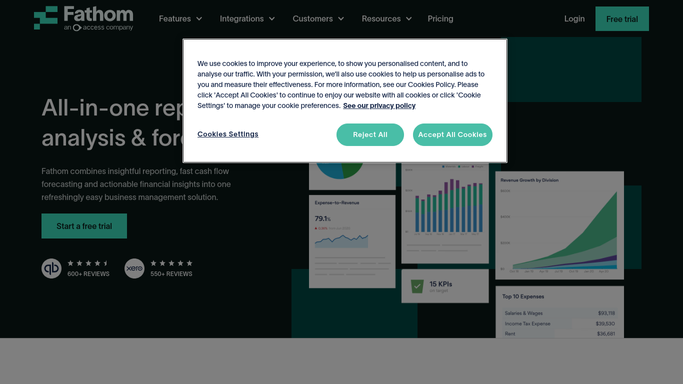
Fathom - create new client organisation
fathomhq.com How to Automate Fathom

WebRun opens Fathom to create new client organisation. - Open Fathom and navigate to the Organisations section
- Create a new client organisation with the client name, industry, and fiscal year settings
- Connect the appropriate accounting integration (Xero or QuickBooks) if credentials are available
Done when The new client entity exists in Fathom and is ready for data sync.
-
2
Google Sheets - add client to onboarding tracker
google.com How to Automate Google Sheets
WebRun opens Google Sheets to add client to onboarding tracker. - Open the master onboarding tracker sheet
- Add a new row for the client with their name, engagement start date, and assigned CFO
- Pre-populate the onboarding milestone columns with target dates based on the engagement start
Done when The new client row is added to the onboarding tracker with target milestone dates.
-
3
Gmail - draft welcome and document-request email
gmail.com How to Automate Gmail
WebRun opens Gmail to draft welcome and document-request email. - Draft a personalised welcome email to the client contact with an overview of the onboarding process
- Include a document-request checklist covering financial statements, prior-year tax returns, and bank access details
- Leave the draft unsent in Gmail for your review and any personalisation before you send it
Done when A welcome and document-request email draft is in Gmail, unsent and ready for your review.
-
4
Slack - post kickoff checklist to the team
slack.com How to Automate Slack
WebRun opens Slack to post kickoff checklist to the team. - Post the full onboarding checklist to the team Slack channel with the client name and engagement start date
- Tag the assigned CFO so they can begin the process immediately
- Include a link to the tracker row for easy reference
Done when The team has the kickoff checklist in Slack with the assigned CFO tagged.



How do I automate new client onboarding for my fractional CFO practice?
WebRun creates a new client entity in Fathom, adds the client to your onboarding tracker in Google Sheets, and drafts a welcome and document-request email in Gmail for your review. It then posts the full kickoff checklist to Slack so your team can start the engagement immediately.
- New client entities are live in Fathom within minutes of confirmation
- Onboarding milestones are pre-populated in the tracker automatically
- The assigned CFO gets a full kickoff checklist in Slack without any manual preparation
Built for fractional CFOs · CFO advisory practices · outsourced finance teams · accounting advisory firms
How is each run configured?
Secure by default
Connect once, stays signed in
WebRun signs in once and keeps each session in a persistent environment, so every run picks up right where it left off.
Every action is checked against this policy before it runs.
Questions, answered
Will it send the welcome email to the client automatically?
No. The welcome and document-request email is saved as an unsent Gmail draft for you to personalise and send. WebRun never emails clients without your approval.
What if the accounting system integration is not ready yet?
WebRun creates the Fathom organisation and notes the integration as pending. You can connect Xero or QuickBooks later once you have the client's credentials.
Can I customise the document-request list in the email draft?
Yes. You provide your standard document checklist during setup and WebRun uses it as the template for every new client. You can edit the draft in Gmail before sending.
Related templates
Put this on autopilot.
Turn it on in minutes - or have our team set it up for you.