Get instant alerts when a client KPI or variance crosses your threshold
Every morning, WebRun opens Fathom and scans each client entity for KPI breaches, variance anomalies, and cash-position flags. It logs any exceptions in your Google Sheet anomaly tracker and posts an immediate Slack alert for any client whose metrics have crossed your configured thresholds, giving you time to act before your client's next check-in.
- No credit card
- Under $0.01 per run
- Cancel anytime
What does WebRun do on every run?
The exact actions WebRun takes, in order - in plain language, so you can adjust anything.
-
WebRun signs in and gets to work
Opens
app.fathomhq.comin a real browser with your saved login - no setup, no API keys. -
1
Fathom - scan KPIs and variances for anomalies
fathomhq.com How to Automate Fathom

WebRun opens Fathom to scan KPIs and variances for anomalies. - Open each client organisation in Fathom and review the KPI dashboard
- Check current values against the prior month, budget, and your configured alert thresholds
- Flag any KPI in the red zone or any variance exceeding your percentage threshold
- Note the cash runway for any client where it falls below your minimum number of days
Done when Every client KPI has been checked and exceptions are identified with details.
-
2
Google Sheets - log exceptions in anomaly tracker
google.com How to Automate Google Sheets
WebRun opens Google Sheets to log exceptions in anomaly tracker. - Open the anomaly tracker sheet
- Add a new row for each exception with the client name, KPI, current value, threshold, and date
- Mark the row as New so the team can track resolution
Done when Every exception is logged in the anomaly tracker with its details and a New status.
-
3
Slack - post instant alert for threshold breaches
slack.com How to Automate Slack
WebRun opens Slack to post instant alert for threshold breaches. - Post an alert to the exceptions Slack channel for each client with a threshold breach
- Include the client name, the KPI, the current value versus the threshold, and a link to their Fathom report
- If no exceptions are found, post a brief all-clear message
Done when All threshold breaches are posted to Slack and the all-clear is sent if no exceptions exist.
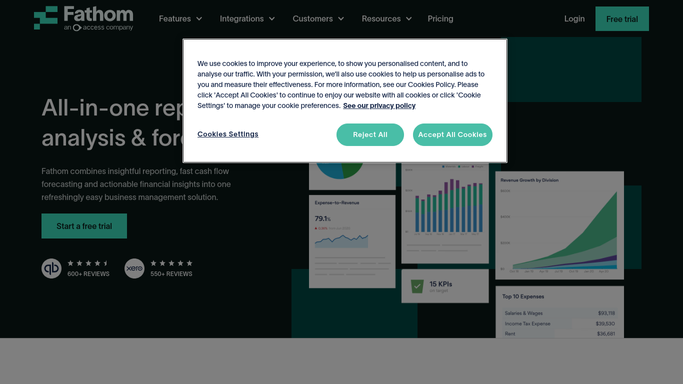


How can I get automatic alerts when a client KPI or financial variance crosses a threshold in Fathom?
WebRun scans Fathom every morning across your entire client portfolio, checking KPIs and variances against your configured thresholds. Any breach is logged in a Google Sheet anomaly tracker and triggers an immediate internal Slack alert with the client name, the metric, and a link to their Fathom report so you can act before they notice.
- Threshold breaches are spotted the morning they appear, not at the next client meeting
- A running anomaly log in Google Sheets builds a clear audit trail of client risk events
- All-clear messages confirm a healthy day when no exceptions exist
Built for fractional CFOs · CFO advisory practices · outsourced finance directors · multi-client accounting advisors
How is each run configured?
Secure by default
Connect once, stays signed in
WebRun signs in once and keeps each session in a persistent environment, so every run picks up right where it left off.
Every action is checked against this policy before it runs.
Questions, answered
Can I set different thresholds for different clients?
Yes. Each client has its own threshold configuration, so a high-growth startup can have tighter cash-runway alerts while a stable business uses looser variance thresholds.
Does it alert the client when a threshold is breached?
No. All alerts are internal Slack messages to your team only. No notification is sent to any client automatically.
What KPIs can it monitor?
It monitors any KPI available in each client's Fathom organisation, including Fathom's 50-plus pre-built KPIs such as gross margin, days sales outstanding, cash position, and revenue growth, as well as any custom KPIs you have configured.
Related templates
Put this on autopilot.
Turn it on in minutes - or have our team set it up for you.