Build a weekly cash-risk worklist for clients showing financial stress signals
Every Monday, WebRun opens Fathom and checks each client entity for cash-stress signals: low cash runway, rising debtor days, cash flow turning negative, or gross margin declining for three or more consecutive months. It builds a ranked risk worklist in Google Sheets and posts a prioritised alert digest to Slack so your team can schedule proactive advisory conversations before a client reaches a crisis.
- No credit card
- Under $0.01 per run
- Cancel anytime
What does WebRun do on every run?
The exact actions WebRun takes, in order - in plain language, so you can adjust anything.
-
WebRun signs in and gets to work
Opens
app.fathomhq.comin a real browser with your saved login - no setup, no API keys. -
1
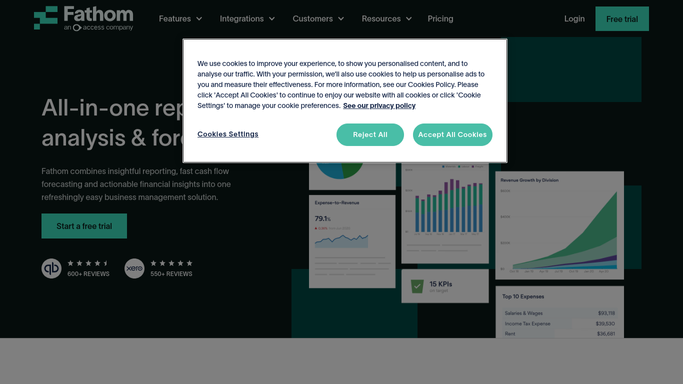
Fathom - scan clients for cash-stress and financial risk signals
fathomhq.com How to Automate Fathom

WebRun opens Fathom to scan clients for cash-stress and financial risk signals. - Open each client organisation in Fathom and navigate to the KPI dashboard
- Check cash runway, days sales outstanding, monthly cash flow, and gross margin trend for the last three months
- Flag any client where at least two metrics are in the red zone or trending negatively
Done when Every client has been assessed and those with two or more risk signals are flagged.
-
2
Google Sheets - build ranked risk worklist
google.com How to Automate Google Sheets
WebRun opens Google Sheets to build ranked risk worklist. - Open the cash-risk worklist sheet
- Add or update a row for each flagged client with their risk signals, current metric values, and a recommended action
- Rank the list by severity: clients with the shortest cash runway or the steepest metric decline at the top
Done when The risk worklist is updated and ranked with every at-risk client this week.
-
3
Slack - post risk worklist digest to team
slack.com How to Automate Slack
WebRun opens Slack to post risk worklist digest to team. - Post a ranked risk worklist digest to the advisory-alerts Slack channel
- Include the client name, top risk signal, and suggested advisory action for each flagged client
- Tag the responsible CFO for each client and include a link to the full worklist in Google Sheets
Done when The team has a ranked risk worklist digest in Slack with tagged owners and action suggestions.


How can I automatically identify which fractional CFO clients are showing financial stress signals each week?
WebRun scans Fathom every Monday for clients showing cash-stress signals: low runway, rising debtor days, negative cash flow, or declining margins. It builds a ranked risk worklist in Google Sheets and posts a prioritised digest to Slack so your team can schedule proactive advisory conversations before a client reaches a financial crisis.
- At-risk clients are identified proactively before a financial crisis develops
- The advisory team has a ranked worklist every Monday with suggested actions
- Cash-stress signals across the entire portfolio are visible in a single Slack digest
Built for fractional CFOs · CFO advisory practices · outsourced finance directors · financial advisory firms
How is each run configured?
Secure by default
Connect once, stays signed in
WebRun signs in once and keeps each session in a persistent environment, so every run picks up right where it left off.
Every action is checked against this policy before it runs.
Questions, answered
Which signals does it look for when assessing cash risk?
It checks cash runway, days sales outstanding, monthly net cash flow, and gross margin trend over the last three months, all drawn from each client's Fathom KPI dashboard.
Does it alert clients when they appear on the risk list?
No. The risk worklist is internal only, shared to Slack and Google Sheets for your team. Deciding when and how to raise concerns with a client is always your judgement call.
How does it decide which clients are at risk?
A client is flagged when at least two of the monitored metrics are in the red zone or showing a negative trend for three or more consecutive months, based on the thresholds you configure during setup.
Related templates
Put this on autopilot.
Turn it on in minutes - or have our team set it up for you.