Hand off generated Formstack documents to the right teammate
Every hour, WebRun opens Formstack, checks for documents that finished generating from form data since the last run, saves each finished file into the matching Google Drive folder, and posts a Slack message handing it to the teammate responsible for reviewing or sending it next.
- No credit card
- Under $0.01 per run
- Cancel anytime
How do I route finished Formstack documents to the right person automatically?
WebRun checks Formstack every hour for documents that finished generating from form data, files each one into the matching Google Drive folder, and posts a Slack handoff naming the teammate who owns the next step. Finished paperwork lands with an owner within the hour instead of sitting in Formstack until someone happens to check.
- Finished documents get an owner within the hour, not at end of week
- Every document is filed and named without manual downloading
- Nothing is sent for signature without a teammate's own review
Built for Sales operations · HR teams · legal operations · agencies generating client documents
What does WebRun do on every run?
The exact actions WebRun takes, in order - in plain language, so you can adjust anything.
-
WebRun signs in and gets to work
Opens
formstack.comin a real browser with your saved login - no setup, no API keys. -
1
Formstack - find newly generated documents
formstack.com
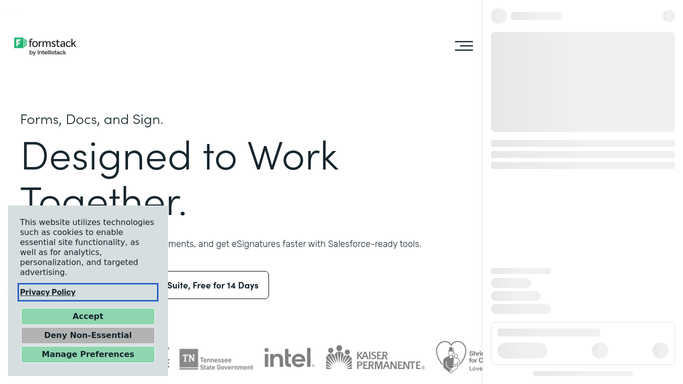
WebRun opens Formstack to find newly generated documents. - Open Formstack and check documents generated since the last run
- Read which form and workflow each document came from
- Note the intended owner for that document type
Done when Every newly generated document since the last check is identified with its owner.
-
2
Google Drive - file the finished document
drive.google.com How to Automate Google Drive

WebRun opens Google Drive to file the finished document. - Open the matching client or project folder
- Save the finished document with a clear, dated filename
- Confirm the file uploaded before moving on
Done when Every finished document is filed and named in Drive.
-
3
Slack - hand it to the right teammate
slack.com How to Automate Slack

WebRun opens Slack to hand it to the right teammate. - Message the teammate who owns the next step for that document type
- Link the filed document in Drive
- Note whether the next step is a review or a signature send, left for the teammate to do
Done when The right teammate has been handed every finished document.
How is each run configured?
Secure by default
Connect once, stays signed in
WebRun signs in once and keeps each session in a persistent environment, so every run picks up right where it left off.
Every action is checked against this policy before it runs.
Questions, answered
Does WebRun send the document for signature itself?
No. It files the finished document and hands it off in Slack. Sending it for signature or to a client is a step the teammate takes themselves.
How does it know who owns each document?
It matches the document's form or workflow in Formstack to the owner mapping you set up, so the right teammate gets the Slack handoff every time.
What if two documents finish at once?
Each one gets its own Drive file and its own Slack handoff, so nothing gets bundled together or missed.
Related templates
Put this on autopilot.
Turn it on in minutes - or have our team set it up for you.