Automated Five9 Queue Health Alerts
Every hour during your service window, WebRun opens Five9, reads calls waiting, longest wait time, abandon rate, and how many agents are available per queue, appends the reading to Airtable, and posts a Telegram warning naming any queue that has crossed the limits you set.
How do I get alerted when my call queue wait times spike?
WebRun reads your Five9 queue statistics every hour, capturing calls waiting, longest wait, abandon rate, and agents available for each queue. It appends a timestamped row to Airtable and posts a Telegram warning naming only the queues that crossed your limits, so supervisors act before the backlog becomes complaints.
- Queue backlogs are flagged within the hour, not at end of day
- Every hour of the day is logged, so staffing patterns become visible
- Supervisors are pinged only when a real limit has been crossed
Built for contact centre supervisors · customer support leaders · workforce managers · BPO operations
What does WebRun do on every run?
The exact actions WebRun takes, in order - in plain language, so you can adjust anything.
-
WebRun signs in and gets to work
Opens
login.five9.comin a real browser with your saved login - no setup, no API keys. -
1
Five9 - read queue stats
five9.com
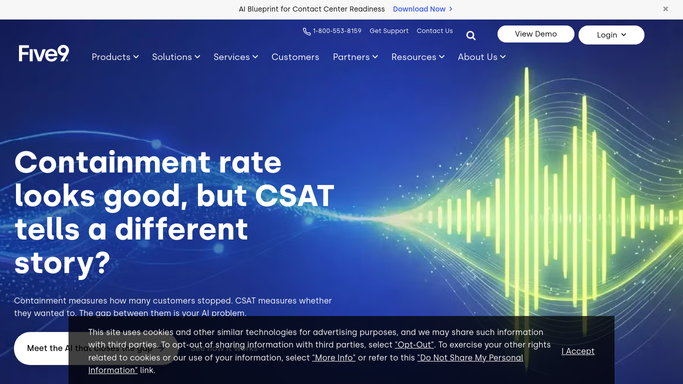
WebRun opens Five9 to read queue stats. - Open Five9 and view the live queue statistics for each campaign or skill group
- Capture calls waiting, the longest current wait, the abandon rate so far today, and agents available
- Compare each figure against the threshold you set for that queue
- Note which queues are inside limits and which have crossed them
Done when Every monitored queue has an hourly reading and a within-limit or over-limit verdict.
-
2
Airtable - log the hourly reading
airtable.com

WebRun opens Airtable to log the hourly reading. - Open your contact centre metrics base in Airtable
- Append one timestamped row per queue with calls waiting, longest wait, abandon rate, and agents available
- Keep every earlier reading so the day builds an hour by hour picture
- Mark rows that breached a threshold so they are easy to filter later
Done when Airtable holds a timestamped row for every monitored queue for this hour.
-
3
Telegram - warn when limits are crossed
telegram.org

WebRun opens Telegram to warn when limits are crossed. - Post a short warning to your supervisors channel naming only the queues over their limits
- Give the metric that breached, the current value, and the limit it passed
- Include how many agents are available on that queue right now
- Post nothing when every queue is inside its limits
Done when Supervisors have this hour's warning, or nothing was posted because every queue is healthy.
How is each run configured?
Secure by default
Connect once, stays signed in
WebRun signs in once and keeps each session in a persistent environment, so every run picks up right where it left off.
Every action is checked against this policy before it runs.
Questions, answered
Will it move agents between queues or change routing?
No. WebRun reads Five9 statistics only. It never changes a skill assignment, moves an agent, alters routing, or dials a number. Staffing decisions stay with your supervisors.
Does it listen to or record calls?
No. It reads queue-level numbers such as calls waiting and abandon rate. It never opens a recording, reads a transcript, or captures any customer's details.
Can I set different limits for different queues?
Yes. Each queue gets its own thresholds for longest wait, abandon rate, and minimum agents available, so a sales line and a support line can be judged on different terms.
Related templates
Put this on autopilot.
Turn it on in minutes - or have our team set it up for you.