Follow up with every prospect before they go cold
Every Monday, WebRun opens RightCapital, finds prospects with a financial plan created but no recent engagement, drafts a personalized follow-up email for each, saves it in Gmail for advisor approval, and logs the outreach status in HubSpot so nothing falls through the pipeline.
- No credit card
- Under $0.01 per run
- Cancel anytime
What does WebRun do on every run?
The exact actions WebRun takes, in order - in plain language, so you can adjust anything.
-
WebRun signs in and gets to work
Opens
app.rightcapital.comin a real browser with your saved login - no setup, no API keys. -
1
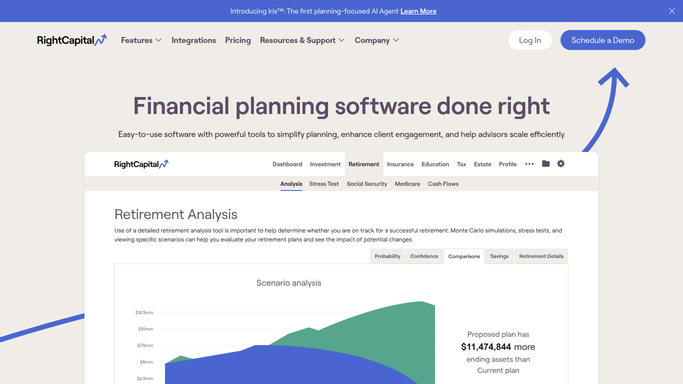
RightCapital - find prospects with plans but no recent engagement
rightcapital.com How to Automate RightCapital

WebRun opens RightCapital to find prospects with plans but no recent engagement. - Open RightCapital and filter the client list for prospect-stage accounts
- Identify prospects whose plan was last accessed or updated more than 14 days ago
- Capture each prospect's name, plan creation date, last activity date, and the planning areas covered
- Sort by days since last activity, with the longest-dormant prospects first
Done when Every dormant prospect with a plan in RightCapital is listed with their last activity date and planning context.
-
2
Gmail - draft personalized prospect follow-up emails
gmail.com How to Automate Gmail
WebRun opens Gmail to draft personalized prospect follow-up emails. - Draft a personalized follow-up email for each prospect referencing their specific plan areas and the value of continuing the conversation
- Keep the tone helpful rather than sales-y, and reference a concrete next step such as scheduling a call to review the plan
- Save each email as a Gmail draft for advisor review and approval before sending. Never send prospect emails automatically
Done when A Gmail draft exists for every dormant prospect, ready for the advisor to review and send.
-
3
HubSpot - log follow-up activity in the CRM pipeline
hubspot.com How to Automate HubSpot
WebRun opens HubSpot to log follow-up activity in the CRM pipeline. - Look up each prospect's contact record in HubSpot
- Log a follow-up activity noting that a draft email has been created and is pending advisor approval
- Update the deal stage or last contact date if a prior outreach was sent from this workflow
Done when HubSpot reflects this week's follow-up queue with activity logs for every dormant prospect.


How can I automatically follow up with prospects who have a financial plan but have gone quiet?
WebRun opens RightCapital every Monday, finds prospects whose financial plan has had no engagement in the last 14 days, and drafts a personalized follow-up email in Gmail for each one. It logs the activity in HubSpot, and advisors review and send the drafts, so no warm prospect goes cold from a lack of timely outreach.
- No warm prospect goes cold from a gap in follow-up
- Advisors have personalized draft emails ready each Monday without writing them manually
- HubSpot stays current with every prospect outreach activity automatically
Built for financial advisors · RIAs · wealth management firms · financial planning sales teams
How is each run configured?
Secure by default
Connect once, stays signed in
WebRun signs in once and keeps each session in a persistent environment, so every run picks up right where it left off.
Every action is checked against this policy before it runs.
Questions, answered
Will WebRun email prospects without advisor approval?
No. Every prospect follow-up email is saved as a Gmail draft and held for advisor review. The advisor reads, edits if needed, and sends it manually so the outreach always has a personal touch and human sign-off.
How does it define a dormant prospect?
WebRun flags prospects whose RightCapital plan has not been updated or accessed in 14 days. Advisors can adjust this window to match their own follow-up cadence before turning the workflow on.
What if a prospect has already converted to a client?
RightCapital tracks whether an account is in prospect or client status. WebRun only targets prospect-stage accounts each run, so anyone who has converted is automatically excluded.
Related templates
Put this on autopilot.
Turn it on in minutes - or have our team set it up for you.