Flag clients who need a beneficiary designation review
Every Monday, WebRun opens RightCapital, checks client profiles for missing, outdated, or unreviewed beneficiary designations, logs each flag in Google Sheets, and posts your planning team a Slack digest so advisors can follow up before a life event makes an oversight costly.
- No credit card
- Under $0.01 per run
- Cancel anytime
What does WebRun do on every run?
The exact actions WebRun takes, in order - in plain language, so you can adjust anything.
-
WebRun signs in and gets to work
Opens
app.rightcapital.comin a real browser with your saved login - no setup, no API keys. -
1
RightCapital - check beneficiary designation status for each client
rightcapital.com How to Automate RightCapital

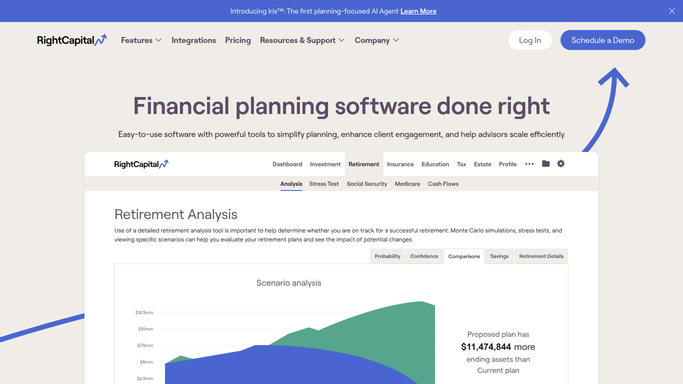
WebRun opens RightCapital to check beneficiary designation status for each client. - Open RightCapital and navigate to the estate planning section for each client
- Check whether a beneficiary review date is recorded and whether it falls within the last two years
- Flag clients with no recorded beneficiary review, a review older than two years, or a recent life event such as marriage, divorce, or the birth of a child noted in the plan
- Capture each flagged client's name, advisor, last review date, and reason for the flag
Done when Every client with a beneficiary designation gap is listed with the specific reason for the flag.
-
2
Google Sheets - log flagged clients and review status
google.com How to Automate Google Sheets
WebRun opens Google Sheets to log flagged clients and review status. - Open the beneficiary review tracker spreadsheet
- Add or update a row for each flagged client with their name, advisor, last review date, flag reason, and action status
- Mark rows as Reviewed once an advisor confirms the designation is current
Done when The beneficiary tracker sheet is updated with every flagged client and their current action status.
-
3
Slack - post weekly beneficiary review digest to advisors
slack.com How to Automate Slack
WebRun opens Slack to post weekly beneficiary review digest to advisors. - Post a beneficiary review digest to the planning team's Slack channel
- List new flags added this week and any clients flagged previously with no action recorded
- Link to the Google Sheets tracker for the full list
Done when Advisors have a Slack digest of this week's beneficiary review flags with a link to the tracker.


How do I automatically flag clients who need a beneficiary designation review?
WebRun scans RightCapital every Monday for clients with missing, outdated, or life-event-triggered beneficiary designation gaps, logs each flag in Google Sheets, and posts advisors a Slack digest. This keeps beneficiary reviews on the firm's radar before a life change turns a documentation gap into an estate problem.
- Beneficiary designation gaps are caught before a life event makes them costly
- Advisors have a weekly action list without manually auditing client records
- The team maintains a running tracker with full review history in Google Sheets
Built for financial advisors · RIAs · estate planning specialists · wealth management firms
How is each run configured?
Secure by default
Connect once, stays signed in
WebRun signs in once and keeps each session in a persistent environment, so every run picks up right where it left off.
Every action is checked against this policy before it runs.
Questions, answered
Does WebRun update beneficiary designations on accounts?
No. WebRun only flags clients whose designations appear outdated or unreviewed in RightCapital. All actual designation changes are made by the client and advisor directly through the account custodian.
What life events trigger a flag?
WebRun flags clients when RightCapital shows a recent life event such as marriage, divorce, a new child, or the death of a named beneficiary, as well as anyone whose last beneficiary review is older than two years.
How does the team clear a flag once it has been resolved?
The advisor updates the beneficiary review date in RightCapital or marks the Sheets row as Reviewed. Either change causes the client to drop off the next Monday's flag list automatically.
Related templates
Put this on autopilot.
Turn it on in minutes - or have our team set it up for you.