Stay ahead of every client life milestone automatically
Every Monday, WebRun opens RightCapital, identifies clients within 12 months of a key life milestone such as planned retirement, Social Security filing age, Medicare enrollment, or a large planned distribution, logs each in Google Sheets, and posts the planning team a Slack digest to prompt proactive outreach.
- No credit card
- Under $0.01 per run
- Cancel anytime
What does WebRun do on every run?
The exact actions WebRun takes, in order - in plain language, so you can adjust anything.
-
WebRun signs in and gets to work
Opens
app.rightcapital.comin a real browser with your saved login - no setup, no API keys. -
1
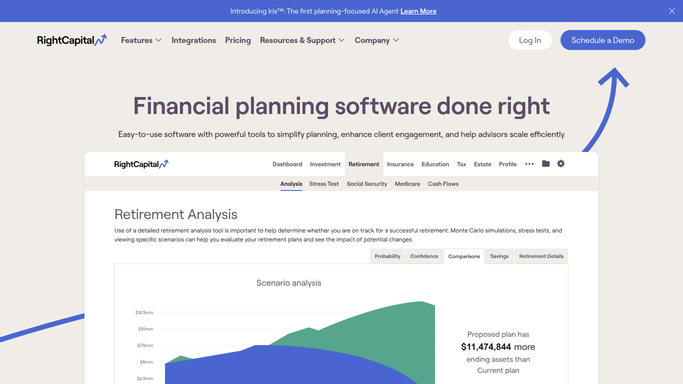
RightCapital - identify clients approaching life milestones in the next 12 months
rightcapital.com How to Automate RightCapital

WebRun opens RightCapital to identify clients approaching life milestones in the next 12 months. - Open RightCapital and review each client's retirement plan assumptions and goal dates
- Identify clients within 12 months of their planned retirement date, Social Security filing age, Medicare eligibility at age 65, or a large planned asset distribution
- Capture each milestone type, the target date, the client's name, and the assigned advisor
- Sort by milestone date with the most imminent events at the top
Done when Every client with a milestone falling within the next 12 months is listed with its type, date, and advisor.
-
2
Google Sheets - log milestone calendar with advisor assignments
google.com How to Automate Google Sheets
WebRun opens Google Sheets to log milestone calendar with advisor assignments. - Open the client milestone calendar in Google Sheets
- Add or update a row for each client with their milestone type, target date, advisor, and outreach status
- Mark milestones as Planned once an advisor has initiated a conversation or scheduled a meeting
Done when The milestone calendar is updated with every upcoming event and its planning status.
-
3
Slack - post weekly milestone digest to the planning team
slack.com How to Automate Slack
WebRun opens Slack to post weekly milestone digest to the planning team. - Post a milestone digest to the planning team's Slack channel each Monday
- Highlight new milestones identified this week and any within 30 days with no advisor action recorded
- Link to the Google Sheets milestone calendar for the full view
Done when The planning team has a Slack digest of this week's client milestones with a link to the tracker.


How do I automatically track which clients are approaching major life milestones like retirement or Social Security?
WebRun reviews RightCapital every Monday for clients within 12 months of major life milestones including planned retirement, Social Security filing age, Medicare enrollment, and large planned distributions. It updates a Google Sheets milestone calendar and posts advisors a Slack digest, so every planning conversation starts before the moment arrives, not after.
- Every approaching retirement or Social Security milestone is on the advisor's radar 12 months early
- The milestone calendar in Google Sheets gives the whole team a live planning horizon view
- Advisors initiate milestone conversations proactively, not reactively
Built for financial advisors · RIAs · retirement planning specialists · wealth management firms
How is each run configured?
Secure by default
Connect once, stays signed in
WebRun signs in once and keeps each session in a persistent environment, so every run picks up right where it left off.
Every action is checked against this policy before it runs.
Questions, answered
What counts as a life milestone for this workflow?
WebRun flags clients within 12 months of their planned retirement date in RightCapital, their Social Security optimal filing age, Medicare eligibility at 65, or a large one-time planned distribution such as a pension start or a deferred compensation payout.
Does it send anything directly to clients?
No. The Slack digest and Google Sheets calendar are purely internal. Any client outreach is initiated by the advisor after reviewing the digest, not triggered automatically by WebRun.
How does it know when a milestone has been addressed?
The advisor marks the Sheets row as Planned after initiating the conversation. WebRun reads that status each Monday and stops highlighting that milestone in the Slack digest until the date itself passes.
Related templates
Put this on autopilot.
Turn it on in minutes - or have our team set it up for you.