Walk into every client meeting fully prepared
Every morning, WebRun checks Google Calendar for client meetings scheduled that day, opens each client's RightCapital plan to capture their current goals, open action items, and recent plan changes, and posts a concise meeting prep brief for each to the advisor's Slack so they walk in fully prepared.
- No credit card
- Under $0.01 per run
- Cancel anytime
What does WebRun do on every run?
The exact actions WebRun takes, in order - in plain language, so you can adjust anything.
-
WebRun signs in and gets to work
Opens
calendar.google.comin a real browser with your saved login - no setup, no API keys. -
1
Google Calendar - find client meetings scheduled for today
calendar.google.com How to Automate Google Calendar

WebRun opens Google Calendar to find client meetings scheduled for today. - Open Google Calendar and scan today's events for meetings tagged as client reviews or planning sessions
- Capture the client name, meeting time, and advisor from each event
- Sort by meeting time so prep briefs are posted in order of the day's schedule
Done when Every client meeting on today's calendar is identified with its client name and advisor.
-
2
RightCapital - pull current plan summary and open action items
rightcapital.com How to Automate RightCapital
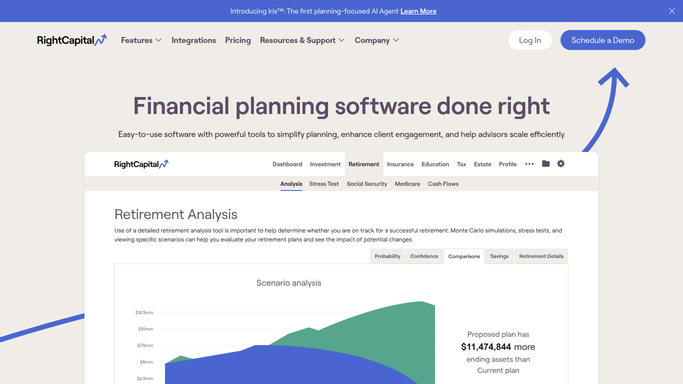
WebRun opens RightCapital to pull current plan summary and open action items. - Open each client's plan in RightCapital
- Capture the current retirement readiness score, top financial goals, open tasks or pending action items, and any plan changes made since the last meeting
- Note any upcoming milestones within the next 12 months that the advisor should discuss
- Summarize the key discussion points in a concise prep brief
Done when A prep brief with plan summary, open items, and discussion points is ready for each client on today's meeting list.
-
3
Slack - post meeting prep brief to the advisor
slack.com How to Automate Slack
WebRun opens Slack to post meeting prep brief to the advisor. - Post each meeting prep brief to the relevant advisor's Slack DM or planning channel
- Format the brief with the client name, meeting time, readiness score, open action items, and suggested discussion points
- Post briefs at least 30 minutes before the scheduled meeting time
Done when Every advisor with a client meeting today has received their prep brief in Slack before the meeting starts.


How do I automatically generate a meeting prep brief for each client review from RightCapital?
Every morning, WebRun checks Google Calendar for client meetings that day, opens each client's RightCapital plan to pull their readiness score, open action items, and recent changes, and posts a concise prep brief to the advisor in Slack before the meeting starts. Advisors arrive informed and focused on what matters most for each client.
- Advisors walk into every client meeting with a concise, data-driven prep brief
- Meeting prep that previously took 15 minutes per client is done automatically each morning
- Open action items and upcoming milestones are surfaced proactively, not discovered mid-meeting
Built for financial advisors · RIAs · wealth managers · financial planning teams
How is each run configured?
Secure by default
Connect once, stays signed in
WebRun signs in once and keeps each session in a persistent environment, so every run picks up right where it left off.
Every action is checked against this policy before it runs.
Questions, answered
How does WebRun know which Google Calendar events are client meetings?
WebRun looks for events matching naming patterns advisors configure, such as events titled with a client name or tagged in a specific calendar. Advisors set the matching rules once during setup.
What if a client's name in Google Calendar does not exactly match RightCapital?
Advisors provide a mapping or naming convention during setup so WebRun can reliably connect calendar events to the correct RightCapital client record. Common patterns like first and last name work without configuration.
Does WebRun share client plan data anywhere outside of Slack?
No. The prep brief is posted only to the advisor's own Slack channel or DM. No plan data is sent externally or to anyone outside the firm's Slack workspace.
Related templates
Put this on autopilot.
Turn it on in minutes - or have our team set it up for you.