Chase down missing client documents without the manual effort
Every Monday, WebRun opens RightCapital, finds clients with missing or expired documents such as tax returns, insurance policies, or estate documents, drafts a polite follow-up email for each, and updates an Airtable tracker so your team has a live view of every outstanding request.
- No credit card
- Under $0.01 per run
- Cancel anytime
What does WebRun do on every run?
The exact actions WebRun takes, in order - in plain language, so you can adjust anything.
-
WebRun signs in and gets to work
Opens
app.rightcapital.comin a real browser with your saved login - no setup, no API keys. -
1
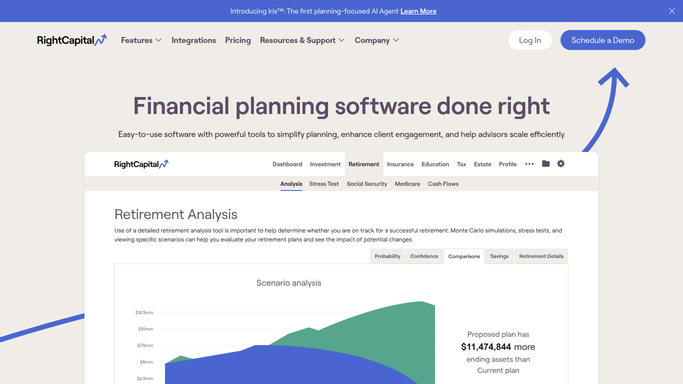
RightCapital - find clients with missing or expired documents
rightcapital.com How to Automate RightCapital

WebRun opens RightCapital to find clients with missing or expired documents. - Open RightCapital and review each client's document vault and plan data
- Identify clients missing key documents such as recent tax returns, insurance policy details, estate planning documents, or Social Security statements
- Note how long each document has been missing and which plan sections are blocked without it
- Prioritize clients with upcoming reviews or plan deliverables first
Done when Every client with at least one missing or expired document is listed with the specific documents needed.
-
2
Gmail - draft polite document-request follow-up emails
gmail.com How to Automate Gmail
WebRun opens Gmail to draft polite document-request follow-up emails. - Draft a polite, specific follow-up email for each client listing exactly which documents are still needed
- Reference the planning purpose each document serves so the request feels relevant, not generic
- Save each email as a Gmail draft for advisor review before sending. Never send to clients automatically
Done when A Gmail draft exists for every client with outstanding documents, ready for advisor approval.
-
3
Airtable - log and track outstanding document requests
airtable.com How to Automate Airtable
WebRun opens Airtable to log and track outstanding document requests. - Open the document collection tracker in Airtable
- Add or update a row for each client listing the documents needed, the reminder date, draft email status, and days since first request
- Mark rows as Complete when documents arrive and RightCapital is updated
Done when The Airtable tracker is current with every open document request and its follow-up status.


How do I automatically follow up with clients who have not provided their planning documents?
WebRun opens RightCapital every Monday and identifies clients with missing or expired planning documents such as tax returns, insurance policies, and estate paperwork. It drafts a specific follow-up email in Gmail for each client and updates an Airtable tracker, so advisors can approve the outreach and see every open request in one place.
- Missing documents are flagged and chased every Monday without manual effort
- Advisors have specific, personalized draft emails ready to send in Gmail
- The Airtable tracker gives the whole team a live view of every outstanding request
Built for financial advisors · RIAs · financial planning firms · wealth management teams
How is each run configured?
Secure by default
Connect once, stays signed in
WebRun signs in once and keeps each session in a persistent environment, so every run picks up right where it left off.
Every action is checked against this policy before it runs.
Questions, answered
Does WebRun send the follow-up emails to clients automatically?
No. Every document request email is saved as a Gmail draft and held for advisor review. The advisor decides whether to send, edit, or skip each one before anything reaches the client.
Which documents does it look for?
WebRun checks for common planning documents tracked in RightCapital, including recent tax returns, insurance policy details, estate planning documents, and Social Security statements. Advisors can customize the list for their firm.
How does it avoid re-chasing a client who already sent their documents?
Once the advisor updates the document status in RightCapital or marks the Airtable row as Complete, WebRun skips that client in the next Monday run automatically.
Related templates
Put this on autopilot.
Turn it on in minutes - or have our team set it up for you.