Review which share links are still open to the outside world
Every Monday, WebRun opens FilesAnywhere, walks the shared folders and files, records every live share link in Notion with the people it was shared with and the permissions they hold, and opens a Trello card for each link that has outlived the work it was created for.
- No credit card
- Under $0.01 per run
- Cancel anytime
How do I review which cloud file share links are still publicly open?
WebRun opens FilesAnywhere every Monday and lists every share link still live, with the folder it points at, the permissions on it, and who it was shared with. It records them in Notion and opens a Trello card per stale link, so finished projects stop being downloadable by strangers.
- Every live share link is on one register you can read
- Links with no expiry date are found before an auditor finds them
- Files from a finished project stop being downloadable by strangers
Built for IT administrators · compliance teams · professional services firms · operations managers
What does WebRun do on every run?
The exact actions WebRun takes, in order - in plain language, so you can adjust anything.
-
WebRun signs in and gets to work
Opens
www.filesanywhere.comin a real browser with your saved login - no setup, no API keys. -
1
FilesAnywhere - list live share links and permissions
filesanywhere.com
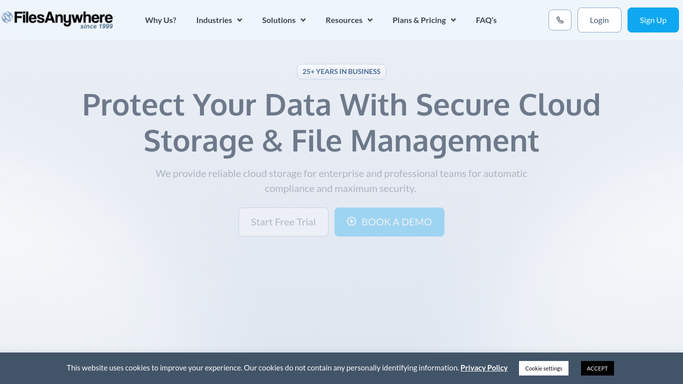
WebRun opens FilesAnywhere to list live share links and permissions. - Open FilesAnywhere and go through the folders and files that have been shared
- Capture every live share link with the folder or file it points at
- Record the permissions on each link and the shared users listed against it
- Note when the link was created and whether it carries an expiry date
- Read only. WebRun never revokes a link or changes a permission
Done when Every live share link is listed with its target, permissions, and recipients.
-
2
Notion - record who can still open what
notion.so How to Automate Notion

WebRun opens Notion to record who can still open what. - Update your access register with one row per live share link
- Fill in the folder, the permissions, the shared users, and the created date
- Mark rows from previous reviews whose link no longer appears as closed
- Sort so the oldest links and the widest permissions sit at the top
Done when The access register in Notion matches what is actually shared today.
-
3
Trello - open a card per link to close
trello.com How to Automate Trello

WebRun opens Trello to open a card per link to close. - Open a card for each link older than the age limit you set or with no expiry date
- Put the folder name, the recipients, and the permissions on the card
- Label cards by why they were flagged: no expiry, long lived, or shared outside the company
- Leave the closing to a human. WebRun recommends and never revokes
Done when The review board has one card per share link that needs a decision.
How is each run configured?
Secure by default
Connect once, stays signed in
WebRun signs in once and keeps each session in a persistent environment, so every run picks up right where it left off.
Every action is checked against this policy before it runs.
Questions, answered
Will it revoke a share link on its own?
No. WebRun lists what is live and opens a Trello card recommending a review. Closing a link stays a manual step, so access a client still needs is never cut off by an automation.
Does it open or download the shared files?
No. WebRun reads the sharing settings only: the folder name, the permissions, the recipients, and the dates. File contents are never opened, copied, or downloaded.
How does it decide a link has outlived its project?
It flags links older than the age limit you set, links with no expiry date, and links shared to addresses outside your own domain. You adjust those rules to fit how you work.
Related templates
Put this on autopilot.
Turn it on in minutes - or have our team set it up for you.