Build a running record of Filen file activity
Every Monday, WebRun opens Filen, checks the past week's file activity log for uploads, deletions, and shares with timestamps, exports it as new rows in Google Sheets alongside the week's storage total, and logs an index entry in Notion.
- No credit card
- Under $0.01 per run
- Cancel anytime
What does WebRun do on every run?
The exact actions WebRun takes, in order - in plain language, so you can adjust anything.
-
WebRun signs in and gets to work
Opens
filen.ioin a real browser with your saved login - no setup, no API keys. -
1
Filen - check file activity log
filen.io

WebRun opens Filen to check the file activity log. - Open Filen and check the file activity log for the past week
- Note uploads, deletions, and shares with timestamps
- Capture the total storage used at the end of the week
Done when This week's Filen activity is fully captured.
-
2
Google Sheets - export the activity record
google.com How to Automate Google Sheets
WebRun opens Google Sheets to export the activity record. - Append this week's activity as new rows: action, file, and timestamp
- Include the week's ending storage total
- Keep prior weeks so the export becomes a running compliance record
Done when The activity log sheet reflects this week's export.
-
3
Notion - index the export
notion.so How to Automate Notion
WebRun opens Notion to index the export. - Log that this week's export ran and how many events were recorded
- Link to the Google Sheets export for that week
- Flag it if activity volume looked unusually high or low
Done when Notion has an index entry for this week's export.
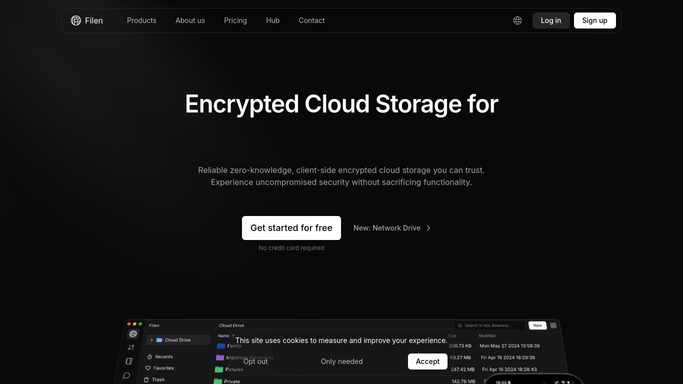


How do I keep a compliance record of Filen file activity?
WebRun checks Filen every Monday for the past week's file activity, uploads, deletions, and shares with timestamps, and exports it as new rows in Google Sheets alongside the week's storage total. It logs an index entry in Notion linking to that export, building a running activity record without ever reading encrypted file contents.
- A running, filterable activity record builds automatically
- Encrypted file contents are never read by the export
- Unusual activity spikes get flagged in the Notion index
Built for Privacy-focused businesses needing an audit trail · compliance officers · IT admins on encrypted storage platforms
How is each run configured?
Secure by default
Connect once, stays signed in
WebRun signs in once and keeps each session in a persistent environment, so every run picks up right where it left off.
Every action is checked against this policy before it runs.
Questions, answered
Does it read the contents of encrypted files?
No. Filen's files stay end-to-end encrypted. WebRun only reads activity metadata: what action happened, to which file, and when.
Why export to a spreadsheet instead of just a count?
So you have a running, filterable record for compliance or audit purposes, not just a summary that disappears after the week.
Does it delete or restore anything in Filen?
No. It only reads and exports the activity log. It never deletes, restores, or changes a file in Filen.
Related templates
Put this on autopilot.
Turn it on in minutes - or have our team set it up for you.