Automated Filen Public Link Audits
Every night, WebRun opens Filen, lists every public link on your files and folders, checks each one for a password, an expiry date, and download permission, posts the full audit to Slack, and sends the account owner a short summary in Microsoft Teams.
How do I audit which of my cloud files are still shared publicly?
WebRun opens Filen every night and lists every public link on your files and folders, checking each for a password, an expiry date, and download permission. It posts the full audit to Slack with unprotected links first, and sends the account owner a summary in Microsoft Teams.
- Links left public by accident get closed the next morning
- Unprotected links are ranked ahead of everything else
- New links created that day are marked so nothing appears unnoticed
Built for IT admins · small business owners · agencies · operations teams
What does WebRun do on every run?
The exact actions WebRun takes, in order - in plain language, so you can adjust anything.
-
WebRun signs in and gets to work
Opens
filen.ioin a real browser with your saved login - no setup, no API keys. -
1
Filen - list every public link
filen.io
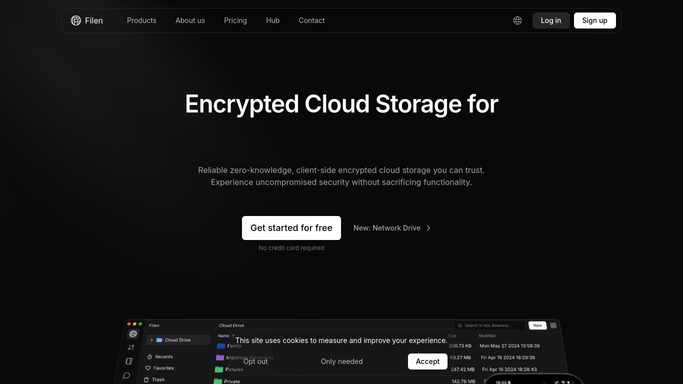
WebRun opens Filen to list every public link. - Open Filen and list the files and folders that currently have a public link
- For each link, note whether it has a password, an expiry date, and whether downloads are allowed
- Flag any link with no password or no expiry, and any created since the last run
Done when Every public link is listed with its password, expiry, and download setting.
-
2
Slack - post the link audit
slack.com

WebRun opens Slack to post the link audit. - Post the audit to your team channel with one line per public link
- Put unprotected links first: no password, then no expiry
- Mark links created since the previous run as new
Done when The nightly link audit is posted in Slack.
-
3
Microsoft Teams - summarize for the owner
microsoft.com

WebRun opens Microsoft Teams to summarize for the owner. - Send the account owner the counts: links open, unprotected, and newly created
- Name the oldest link still open with no expiry
- Keep it a report. WebRun never deletes a link or changes a sharing setting
Done when The owner has tonight's sharing summary in Teams.
How is each run configured?
Secure by default
Connect once, stays signed in
WebRun signs in once and keeps each session in a persistent environment, so every run picks up right where it left off.
Every action is checked against this policy before it runs.
Questions, answered
Will it delete or revoke my public links?
No. WebRun only reads your sharing settings and reports them. Removing a link, adding a password, or setting an expiry stays a decision you make in Filen.
Does it open or share the link URLs?
No. The audit names the file or folder and its protection settings. WebRun does not open the public link or paste the URL into Slack or Teams.
What makes a link count as unprotected?
A public link with no password set, or with no expiry date, so it stays reachable indefinitely. Those two sit at the top of the Slack audit every night.
Related templates
Put this on autopilot.
Turn it on in minutes - or have our team set it up for you.