Automated FileCloud Share Link Audit
Every Monday, WebRun opens FileCloud, lists the share links currently active, reads the permission and expiry set on each one, writes a dated exposure report into Notion, and opens a Trello card for every public share with no expiry date so someone decides whether it should stay open.
How do I audit which FileCloud share links are still open to outsiders?
Every Monday, WebRun opens FileCloud and lists every active share link with its audience, permission level, owner, and expiry date. It files a dated exposure report in Notion and raises a Trello card for each public share that never expires, so external access is tightened before an audit finds it.
- Never-expiring public shares are caught every week
- Each risky share gets a Trello card with a named reviewer
- A dated audit trail sits in Notion for the next compliance review
Built for IT admins · security teams · compliance leads · managed service providers
What does WebRun do on every run?
The exact actions WebRun takes, in order - in plain language, so you can adjust anything.
-
WebRun signs in and gets to work
Opens
www.filecloud.comin a real browser with your saved login - no setup, no API keys. -
1
FileCloud - list active share links
filecloud.com
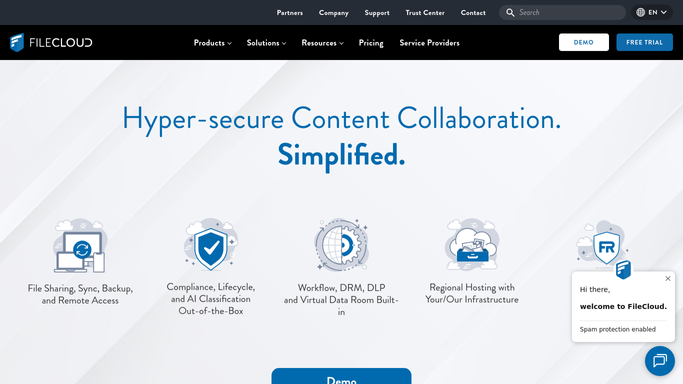
WebRun opens FileCloud to list active share links. - Open FileCloud and list the share links that are currently active
- For each share, read whether it is public or restricted to named users
- Capture the permission level: view only, download, or upload and edit
- Record the expiry date, the folder or file shared, and the user who created the share
Done when Every active share is listed with its audience, permission, and expiry.
-
2
Notion - write the exposure report
notion.so

WebRun opens Notion to write the exposure report. - Add this week's dated exposure report to your IT review page in Notion
- Group the shares into public with no expiry, public with an expiry, and restricted
- Show the folder, the permission, the owner, and how long each share has been open
- Note what changed since last week so the trend is readable at a glance
Done when This week's share audit is filed in Notion next to the previous ones.
-
3
Trello - raise a card per risky share
trello.com

WebRun opens Trello to raise a card per risky share. - Open a Trello card for each public share that has no expiry date set
- Add a card for any share granting upload or edit rights to people outside the company
- Put the folder name, the owner, and the age of the share in the card description
- Leave the decision to revoke or shorten a share to a person. WebRun raises the card, it never removes access
Done when Every wide-open share has a Trello card with an owner to review it.
How is each run configured?
Secure by default
Connect once, stays signed in
WebRun signs in once and keeps each session in a persistent environment, so every run picks up right where it left off.
Every action is checked against this policy before it runs.
Questions, answered
Will it revoke shares on its own?
No. WebRun reads your FileCloud shares and raises a Trello card for the risky ones. Removing a link or tightening a permission stays a decision your IT admin makes.
Which shares get flagged?
Public links with no expiry date, and any share that grants upload or edit rights outside the company. You can add your own rules, such as flagging shares older than 90 days.
Does it open or read the shared files?
No. It reads share settings only: the audience, the permission, the expiry, and the owner. The file contents are never opened or copied anywhere.
Related templates
Put this on autopilot.
Turn it on in minutes - or have our team set it up for you.