Stop expense reports stalling in approval
Every morning, WebRun opens Expensify, lists the expense reports sitting in a submitted or processing state, works out who each one is waiting on and how many days it has waited, posts the whole approval queue to Microsoft Teams for finance, and nudges each approver in Slack with the reports and amounts they personally are holding up.
- No credit card
- Under $0.01 per run
- Cancel anytime
How do I chase managers who are sitting on expense approvals?
WebRun checks Expensify every morning for expense reports stuck in submitted or processing state. It posts the full approval queue with amounts and days waiting to Microsoft Teams for finance, then nudges each approver in Slack with only their own pending reports, so reimbursements stop stalling behind one busy manager.
- Approvers see only their own backlog, so the nudge is actionable
- Finance sees the total value waiting every morning
- Reports blocked by a missing receipt go to the submitter, not the approver
Built for finance teams · controllers · office managers · operations leads
What does WebRun do on every run?
The exact actions WebRun takes, in order - in plain language, so you can adjust anything.
-
WebRun signs in and gets to work
Opens
new.expensify.comin a real browser with your saved login - no setup, no API keys. -
1
Expensify - find reports waiting on approval
expensify.com
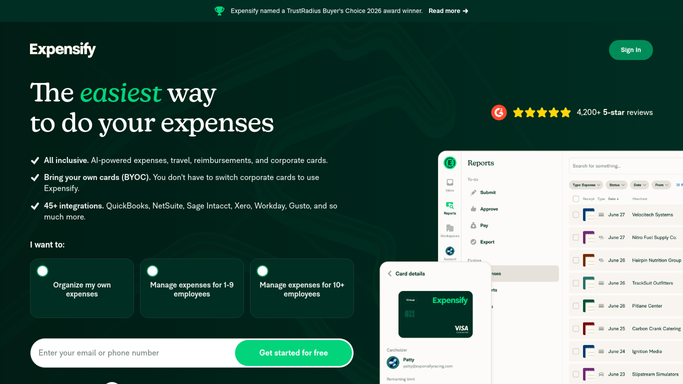
WebRun opens Expensify to find reports waiting on approval. - Open Expensify and filter reports to submitted and processing
- Capture the report name, submitter, total amount, policy and submit date for each
- Work out the current approver from the report's approval workflow
- Calculate days waiting since submission and flag anything over 3 days
- Note reports held up by a violation or a missing receipt, since those need the submitter, not the approver
Done when Every unapproved report is listed with its approver, amount and days waiting.
-
2
Microsoft Teams - post the finance queue
microsoft.com How to Automate Microsoft Teams

WebRun opens Microsoft Teams to post the finance queue. - Post the full approval queue to your finance channel
- Sort oldest first and show the total value of everything waiting
- Split out reports blocked by violations or missing receipts into their own section
- Show how the queue moved since yesterday: cleared, new, still waiting
Done when Finance has today's approval queue and its total value in Microsoft Teams.
-
3
Slack - nudge each approver
slack.com How to Automate Slack

WebRun opens Slack to nudge each approver. - Send each approver a Slack message listing only their own pending reports
- Show the submitter, amount and days waiting for each, with a link to the report
- Skip approvers whose queue is empty so nobody gets a pointless ping
- Never approve, reject or reimburse a report. WebRun reminds people; the approval click stays human
Done when Every approver with a backlog has been nudged in Slack with their own list.
How is each run configured?
Secure by default
Connect once, stays signed in
WebRun signs in once and keeps each session in a persistent environment, so every run picks up right where it left off.
Every action is checked against this policy before it runs.
Questions, answered
Will it approve or reimburse reports itself?
No. Approving a report releases money, so WebRun never clicks approve, reject or reimburse. It reads the queue and reminds the named approver in Slack. Every approval stays a human decision inside Expensify.
Does every approver get pinged every day?
Only approvers who actually have reports waiting. An empty queue means no Slack message, so a nudge from this run always means somebody is genuinely holding something up.
What about reports blocked by a missing receipt?
They are listed separately, because the fix belongs to the submitter rather than the approver. WebRun names the submitter and the violation so finance chases the right person.
Related templates
Put this on autopilot.
Turn it on in minutes - or have our team set it up for you.