Automated E*TRADE Portfolio Date Tracking
Every Monday, WebRun signs into E*TRADE, lists your current holdings, opens the research page for each one to read the upcoming earnings date and any dividend dates shown, adds those dates to a dedicated Google Calendar, and sends you a WhatsApp message covering which of your positions have something happening in the next fortnight.
How do I keep track of earnings and dividend dates for the stocks I hold?
WebRun keeps a calendar of your portfolio dates every Monday. It reads your current E*TRADE holdings, collects the upcoming earnings and dividend dates published for each one, adds them to a dedicated Google Calendar, and sends you a WhatsApp list of what lands in the next fortnight.
- Every holding's published dates land on one calendar
- You see the fortnight ahead without opening the platform
- No trade is ever placed and no advice is ever given
Built for individual investors · self-directed traders · portfolio hobbyists · finance enthusiasts
What does WebRun do on every run?
The exact actions WebRun takes, in order - in plain language, so you can adjust anything.
-
WebRun signs in and gets to work
Opens
us.etrade.comin a real browser with your saved login - no setup, no API keys. -
1
E*TRADE - read holdings and their upcoming dates
etrade.com
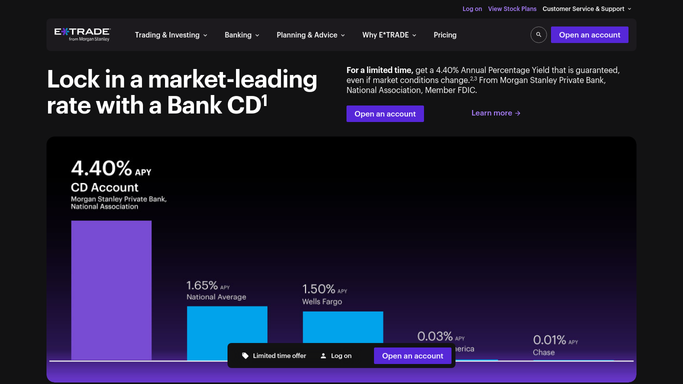
WebRun opens E*TRADE to read holdings and their upcoming dates. - Sign in and open the portfolio view for the accounts you nominated
- List every current holding with its symbol and position size
- Open the research page for each holding and read the upcoming earnings date and any dividend dates shown there
- Record only dates published on the page, and mark a holding as no date found when nothing is listed
Done when Every holding has either a recorded upcoming date or a no date found note.
-
2
Google Calendar - add each date to your calendar
calendar.google.com

WebRun opens Google Calendar to add each date to your calendar. - Open the dedicated portfolio calendar you set up for this
- Add an all-day entry per date, titled with the symbol and what the date is
- Update an entry when a published date has moved rather than creating a second one
- Leave every other calendar untouched
Done when Every upcoming date sits on the portfolio calendar exactly once.
-
3
WhatsApp - send you the fortnight ahead
whatsapp.com

WebRun opens WhatsApp to send you the fortnight ahead. - Send yourself the fortnight ahead, grouped by day
- Name the holding, the date type, and your position size on each line
- State the figures as read from E*TRADE and add no opinion on what to do about them
Done when You have the next two weeks of portfolio dates on WhatsApp.
How is each run configured?
Secure by default
Connect once, stays signed in
WebRun signs in once and keeps each session in a persistent environment, so every run picks up right where it left off.
Every action is checked against this policy before it runs.
Questions, answered
Will it place trades or move money?
No, and it never will. WebRun only reads your holdings and the dates published against them. It cannot buy, sell, transfer, or withdraw, and every order stays something you place yourself.
Does it tell me what to do about a date?
No. It reports the date, the holding, and your position size, with no view on whether to act. WebRun is not a financial adviser and offers no recommendation.
Where do the dates come from?
Only from the research pages inside E*TRADE for the symbols you already hold. If no date is published there, the holding is listed as no date found rather than given an estimate.
Related templates
Put this on autopilot.
Turn it on in minutes - or have our team set it up for you.