Catch low truck stock before you run out
Every morning, WebRun opens ThoroVet, reads current on-hand quantities for medications and supplies, compares each against its reorder point and recent usage, logs anything running low to a Google Sheet, and posts your team a prioritized reorder list in Slack before the ambulatory truck heads out short.
- No credit card
- Under $0.01 per run
- Cancel anytime
What does WebRun do on every run?
The exact actions WebRun takes, in order - in plain language, so you can adjust anything.
-
WebRun signs in and gets to work
Opens
app.thorovet.comin a real browser with your saved login - no setup, no API keys. -
1
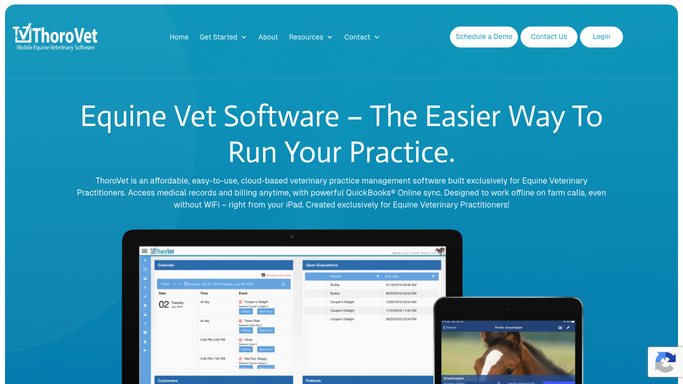
ThoroVet - read on-hand stock and usage
thorovet.com How to Automate ThoroVet

WebRun opens ThoroVet to read on-hand stock and usage. - Open ThoroVet and read on-hand quantities for medications, vaccines, and supplies
- Compare each item's count against its reorder point
- Factor in recent usage to spot items trending toward empty
- Note any expired or near-expiry lots that should not be relied on
Done when Every item at or below its reorder point, or expiring soon, has been identified.
-
2
Google Sheets - log items below reorder point
google.com How to Automate Google Sheets
WebRun opens Google Sheets to log items below reorder point. - Open the inventory reorder sheet
- Add or update a row per low item with the current count, reorder point, and suggested quantity
- Mark near-expiry lots separately so they are replaced, not just restocked
- Keep a running total of items needing reorder
Done when The sheet lists every item to reorder with its shortfall and suggested quantity.
-
3
Slack - post the reorder list
slack.com How to Automate Slack
WebRun opens Slack to post the reorder list. - Post a prioritized reorder list to your practice channel
- Lead with anything already out or critically low
- Include suggested reorder quantities and flag near-expiry lots
- Leave purchasing to your team. WebRun does not place any order
Done when Your team has today's reorder list in Slack, ordered by urgency.


How do I automatically track low medication stock on my vet truck?
WebRun checks ThoroVet every morning, comparing on-hand medications and supplies against their reorder points and recent usage. It logs every shortfall to a Google Sheet and posts your team a prioritized reorder list in Slack, flagging near-expiry lots, so the ambulatory truck is restocked before it ever heads out missing a needed drug.
- The truck stops running out of core medications mid-route
- Near-expiry lots get replaced, not relied on
- Reordering is a quick daily review, not a monthly scramble
Built for equine veterinarians · ambulatory vet practices · veterinary technicians · practice managers
How is each run configured?
Secure by default
Connect once, stays signed in
WebRun signs in once and keeps each session in a persistent environment, so every run picks up right where it left off.
Every action is checked against this policy before it runs.
Questions, answered
Does it place orders with suppliers?
No. WebRun only flags what is low and suggests quantities. It never places an order or spends money. Your team reviews the reorder list and purchases through your normal supplier, keeping a person in control of every order.
How does it know what counts as low?
It compares each item's on-hand count in ThoroVet against the reorder point you set, and factors in recent usage. You control the reorder points, so the list reflects your own buffer, not a generic guess.
Does it watch for expiring medications too?
Yes. WebRun flags lots that are expired or nearing expiry separately, so they are replaced rather than counted as usable stock, and the truck does not carry a drug you cannot use.
Related templates
Put this on autopilot.
Turn it on in minutes - or have our team set it up for you.