Keep lameness exam findings organized and filed
Every evening, WebRun opens ThoroVet, gathers the day's lameness examinations, compiles each horse's flexion tests, diagnostic blocks, lameness grade, and imaging into a clean structured note, files a copy to the horse's Google Drive folder, and posts your team a Slack summary flagging any exam that needs follow-up or a recheck.
- No credit card
- Under $0.01 per run
- Cancel anytime
What does WebRun do on every run?
The exact actions WebRun takes, in order - in plain language, so you can adjust anything.
-
WebRun signs in and gets to work
Opens
app.thorovet.comin a real browser with your saved login - no setup, no API keys. -
1
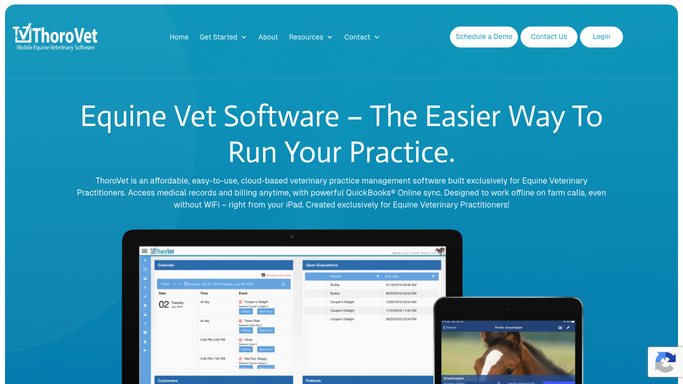
ThoroVet - gather the day's lameness exams
thorovet.com How to Automate ThoroVet

WebRun opens ThoroVet to gather the day's lameness exams. - Open ThoroVet and list lameness examinations recorded today
- For each, read the flexion test results, diagnostic blocks, and the assigned lameness grade
- Capture any imaging performed and the working assessment
- Note any exam with a recommended recheck or pending diagnostic
Done when Every lameness exam from today has its findings and any follow-up captured.
-
2
Google Drive - file a structured note per horse
drive.google.com How to Automate Google Drive
WebRun opens Google Drive to file a structured note per horse. - Open the horse's folder in Google Drive, or create one under the owner
- Save a clean structured note with the flexion results, blocks, grade, and imaging
- Name the file with the horse and exam date so it is easy to find later
- Keep the note read-only so the clinical record in ThoroVet stays the source of truth
Done when A dated, structured lameness note is filed in Google Drive for each horse examined.
-
3
Slack - summarize exams and follow-ups
slack.com How to Automate Slack
WebRun opens Slack to summarize exams and follow-ups. - Post a short summary of today's lameness exams to your practice channel
- List each horse, its lameness grade, and the working assessment
- Flag any exam that needs a recheck or has a pending diagnostic so follow-up is not missed
Done when Your team has a summary of today's lameness exams and outstanding follow-ups in Slack.


How do I keep lameness exam findings organized and filed automatically?
WebRun gathers the day's lameness examinations from ThoroVet every evening and compiles each horse's flexion tests, diagnostic blocks, grade, and imaging into one structured note. It files a read-only copy to the horse's Google Drive folder and posts your team a Slack summary flagging rechecks, so findings stay organized and no follow-up slips.
- Every lameness workup is filed and easy to find later
- Rechecks and pending diagnostics are surfaced daily
- The clinical record in ThoroVet stays untouched and authoritative
Built for equine veterinarians · sports medicine vets · ambulatory vet practices · veterinary technicians
How is each run configured?
Secure by default
Connect once, stays signed in
WebRun signs in once and keeps each session in a persistent environment, so every run picks up right where it left off.
Every action is checked against this policy before it runs.
Questions, answered
Does it edit the clinical record in ThoroVet?
No. WebRun reads the exam findings and files an organized copy to Google Drive as a read-only note. The clinical record in ThoroVet stays the source of truth, and nothing in it is changed.
Does it contact owners about the findings?
No. The filed note and the Slack summary are internal to your team. WebRun does not message any owner. If you want an owner update, that is drafted separately and left for a veterinarian to approve.
How does it flag horses needing a recheck?
It reads the recommended recheck or pending diagnostic on each exam and calls those out first in the Slack summary, so a horse waiting on imaging or a follow-up visit does not fall through the cracks.
Related templates
Put this on autopilot.
Turn it on in minutes - or have our team set it up for you.