Automated Equifax Credit File Change Alerts
Every morning, WebRun signs in to your Equifax account, compares today's inquiries, accounts and monitoring alerts against what it saw yesterday, messages you on Telegram as soon as something new appears, and records a dated line in Microsoft Teams so the finance team has the history.
How do I get alerted when something new appears on my credit report?
WebRun signs in to your Equifax account each morning and compares the inquiries, accounts and monitoring alerts on your file against yesterday's. When something new appears it messages you on Telegram the same day and logs a dated line in Microsoft Teams, without copying any identifying numbers.
- An unrecognised inquiry reaches you the same day it appears
- The file is checked daily rather than twice a year
- No account numbers are ever copied into a chat channel
Built for business owners · finance managers · anyone rebuilding credit · fraud-conscious households
What does WebRun do on every run?
The exact actions WebRun takes, in order - in plain language, so you can adjust anything.
-
WebRun signs in and gets to work
Opens
www.equifax.comin a real browser with your saved login - no setup, no API keys. -
1
Equifax - check for new entries on the file
equifax.com
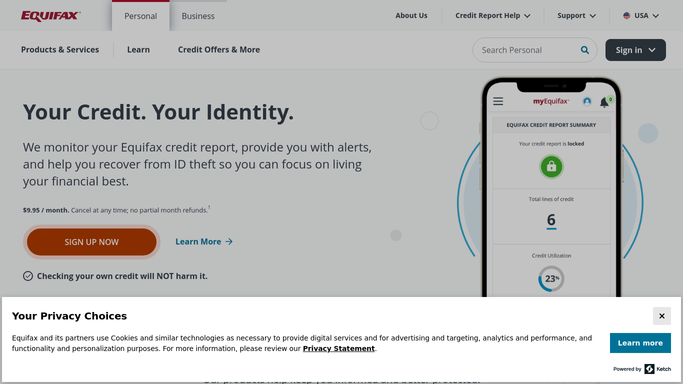
WebRun opens Equifax to check for new entries on the file. - Sign in to your Equifax account and open the credit file and monitoring alerts
- Read the current list of inquiries, accounts and any alerts Equifax is showing
- Compare against the previous run and identify only what is genuinely new since then
Done when Any new inquiry, account or alert since the last run has been identified.
-
2
Telegram - alert you the day it appears
telegram.org

WebRun opens Telegram to alert you the day it appears. - Message you on Telegram only when something new has appeared
- Say what appeared, the date shown against it and the name on the entry
- Add one line asking whether you recognise it, since an unrecognised inquiry is the thing worth acting on fast
Done when You have been told about every new entry on the day it shows.
-
3
Microsoft Teams - log the change with a date
microsoft.com

WebRun opens Microsoft Teams to log the change with a date. - Post a dated line to your private finance channel in Microsoft Teams recording what changed
- Keep the entries in one thread so the file history reads in order
- Never post identifying numbers, only the entry name, the type and the date. WebRun never disputes or removes anything itself
Done when The change is on record with its date, with no identifying numbers posted.
How is each run configured?
Secure by default
Connect once, stays signed in
WebRun signs in once and keeps each session in a persistent environment, so every run picks up right where it left off.
Every action is checked against this policy before it runs.
Questions, answered
Will it file a dispute or freeze my credit?
No. WebRun reads your file and reports changes. It never files a dispute, never places or lifts a freeze, never applies for anything, and never changes an account setting. Every action is yours to take.
Where does my credit information end up?
Only in the Telegram message to you and a private Microsoft Teams channel you nominate. Account numbers and identifying details are never copied into either. The log records what type of entry appeared and when.
Is this financial advice?
No. The alert states what changed on your file and nothing more. It contains no recommendation about borrowing, applying or paying anything down, and WebRun is not a licensed adviser.
Related templates
Put this on autopilot.
Turn it on in minutes - or have our team set it up for you.