Automated Equifax Dispute Status Tracking
Every morning, WebRun signs in to Equifax, opens each dispute you have filed, reads its current status and any outcome, writes the day's status into a running file in Google Drive, and posts to Slack whenever a dispute moves, stalls, or closes.
How do I track the status of a credit report dispute?
WebRun signs in to Equifax every morning and reads the status of each dispute you have filed, along with its reference number and outcome. It keeps a dated history in Google Drive and posts to Slack the day a dispute moves, stalls, or closes, so a stalled case is challenged straight away.
- A status change is known the day it happens
- Every dispute keeps a dated timeline you can cite
- A dispute that stalls past your limit is named, not forgotten
Built for consumers fixing a credit file · credit repair advisors · financial counsellors · mortgage applicants
What does WebRun do on every run?
The exact actions WebRun takes, in order - in plain language, so you can adjust anything.
-
WebRun signs in and gets to work
Opens
www.equifax.comin a real browser with your saved login - no setup, no API keys. -
1
Equifax - read dispute status
equifax.com
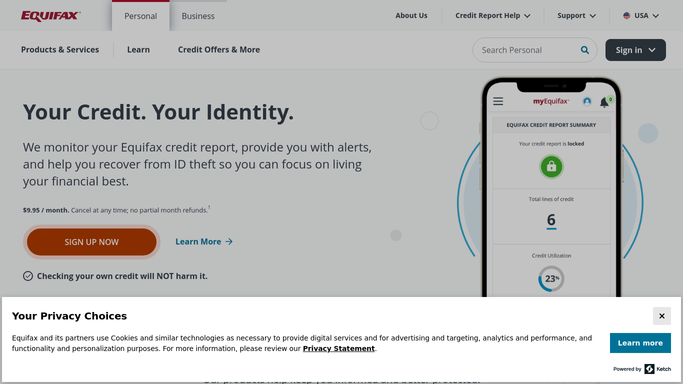
WebRun opens Equifax to read dispute status. - Sign in to Equifax and open the disputes you have filed
- Read the current status and the reference number for each one
- Capture the item under dispute and the date it was filed
- Record the outcome and any reason given once a dispute closes
Done when Every open dispute has today's status and reference number recorded.
-
2
Google Drive - keep the dated history
drive.google.com

WebRun opens Google Drive to keep the dated history. - Append today's status for each dispute to its running file in Google Drive
- Record the date checked, the status, and how many days the dispute has been open
- Keep every earlier status line so the full timeline stays in one place
- Note the day a status changes, which is the date you would cite later
Done when Each dispute has a dated status history saved in Google Drive.
-
3
Slack - post the status change
slack.com

WebRun opens Slack to post the status change. - Post to Slack whenever a dispute status changes since yesterday
- Name the dispute, the reference number, the old status, and the new one
- Flag any dispute open longer than the number of days you set
- Stay quiet on a morning where nothing moved
Done when You have been told the day any dispute changed or went stale.
How is each run configured?
Secure by default
Connect once, stays signed in
WebRun signs in once and keeps each session in a persistent environment, so every run picks up right where it left off.
Every action is checked against this policy before it runs.
Questions, answered
Will it file or escalate a dispute for me?
No. WebRun reads the status of disputes you filed yourself. It never submits a new dispute, uploads a document, or replies to Equifax, because a credit dispute is a formal submission that must come from you.
What happens when a dispute closes unchanged?
WebRun posts the closure to Slack the day it appears, with the outcome and any reason given, so you can challenge it while the reference number and the timeline are still fresh.
Does it warn me if a dispute stalls?
Yes. Set the number of days you are willing to wait and WebRun flags any dispute open longer than that, so a case sitting untouched is chased rather than forgotten.
Related templates
Put this on autopilot.
Turn it on in minutes - or have our team set it up for you.