Automated Emarsys Deliverability Monitoring
Every Tuesday, WebRun signs in to Emarsys, reads the results of every campaign sent in the last seven days, compares bounce, unsubscribe, and complaint rates against your thresholds, opens a Trello card for each send that breached one, and messages you the summary on WhatsApp.
How do I catch email campaigns that are damaging my sender reputation?
WebRun reviews every Emarsys campaign sent in the last seven days each Tuesday, checking bounce, unsubscribe, and complaint rates against your thresholds. It opens a Trello card with the full figures for each send that breached one, and messages you a WhatsApp summary naming the segments that keep repeating.
- Problem sends get a card with a due date instead of a shrug
- Repeat offender segments are named, so list hygiene gets fixed at the source
- Reputation damage is caught within a week of the send
Built for email marketers · CRM teams · retail marketing · lifecycle marketing managers
What does WebRun do on every run?
The exact actions WebRun takes, in order - in plain language, so you can adjust anything.
-
WebRun signs in and gets to work
Opens
emarsys.comin a real browser with your saved login - no setup, no API keys. -
1
Emarsys - read last week's campaign results
emarsys.com
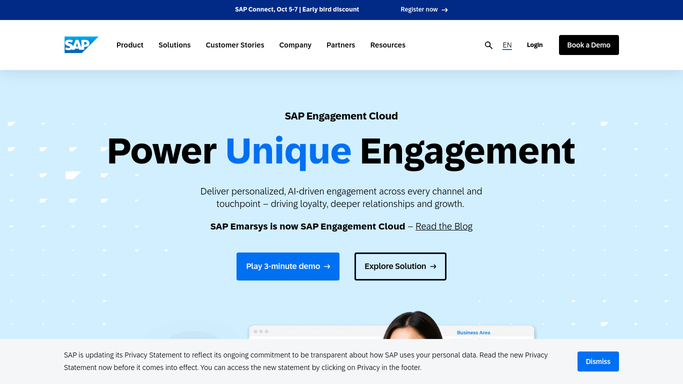
WebRun opens Emarsys to read last week's campaign results. - Sign in to Emarsys and open the campaign reporting area
- List every campaign sent in the last 7 days with its audience size
- Capture the delivered, open, click, bounce, unsubscribe, and complaint figures for each
- Mark any campaign whose hard bounce, unsubscribe, or complaint rate is above your threshold
- Note the segment or list each flagged campaign was sent to
Done when Every campaign from the last week has its result figures and a pass or flag.
-
2
Trello - open a card per problem send
trello.com

WebRun opens Trello to open a card per problem send. - Open your marketing board in Trello
- Create one card per flagged campaign, titled with the campaign name and the rate that breached
- Put the full figures and the target segment in the card description
- Set a due date three working days out and drop the card in your review list
- Skip creating a card if one already exists for that campaign
Done when Every flagged campaign has a Trello card with the numbers and a due date.
-
3
WhatsApp - message you the summary
whatsapp.com

WebRun opens WhatsApp to message you the summary. - Send yourself a short summary of last week's sends
- Lead with the number of campaigns flagged and the worst rate seen
- Name the segments that appear more than once, since the list is usually the problem
- Send a one line all-clear on weeks where every campaign was inside your thresholds
Done when You know which sends need attention and which segments keep causing it.
How is each run configured?
Secure by default
Connect once, stays signed in
WebRun signs in once and keeps each session in a persistent environment, so every run picks up right where it left off.
Every action is checked against this policy before it runs.
Questions, answered
Can it send or pause a campaign?
No. WebRun only reads campaign reports in Emarsys. It never launches a send, pauses one, edits a segment, or removes a contact. Everything it finds becomes a Trello card for a marketer to action.
What counts as a problem send?
Any campaign whose hard bounce, unsubscribe, or complaint rate rises above the threshold you set. Common starting points are two percent hard bounces and half a percent unsubscribes, and both are adjustable per brand.
Why does it name repeated segments?
Because a bad rate usually belongs to the list, not the email. When the same segment appears across several flagged campaigns, the summary says so, which points you at list hygiene rather than another subject line test.
Related templates
Put this on autopilot.
Turn it on in minutes - or have our team set it up for you.