Automated Dynalist Backup and Weekly Digest
Every Monday, WebRun opens Dynalist, backs up every document edited that week to Google Drive, and texts you a short summary of items due in the next 7 days.
How do I back up Dynalist outlines and get reminded of due items?
WebRun reviews your Dynalist outlines every Monday, backs up every document edited that week to Google Drive, and texts you a short summary of items due in the next 7 days. Your outlines stay backed up outside Dynalist automatically, and you get a reminder of what's coming due without opening the app.
- Every outline gets a current backup outside Dynalist each week
- Due items reach you as a text instead of staying buried in a list
- No document is left without a recent backup copy
Built for personal productivity · writers · researchers · solo operators
What does WebRun do on every run?
The exact actions WebRun takes, in order - in plain language, so you can adjust anything.
-
WebRun signs in and gets to work
Opens
dynalist.ioin a real browser with your saved login - no setup, no API keys. -
1
Dynalist - collect this week's outlines
dynalist.io
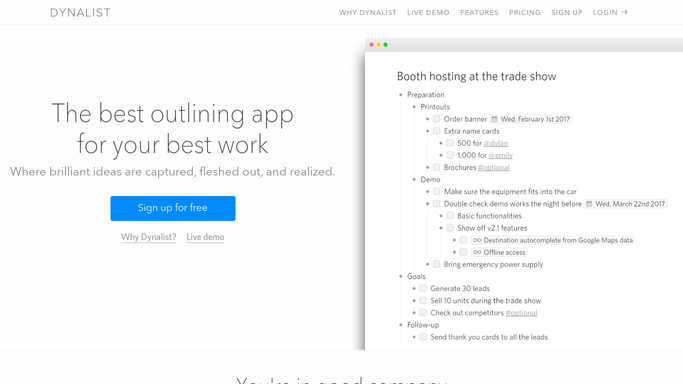
WebRun opens Dynalist to collect this week's outlines. - Open Dynalist and list every document edited in the last 7 days
- Note each document's title and any items tagged or dated for this week
- Flag items with a due date in the next 7 days
Done when Every recently edited document and its upcoming items are listed.
-
2
Google Drive - back up each document
drive.google.com

WebRun opens Google Drive to back up each document. - Export each edited document to a file
- Save it into a dated backup folder in Google Drive
- Replace last week's backup file for the same document, keep the rest
Done when Every edited document has a current backup file in Google Drive.
-
3
Twilio - text a top-items digest
twilio.com

WebRun opens Twilio to text a top-items digest. - Draft a short text listing this week's due items
- Send it as an SMS to your phone
- Keep the message under a few lines
Done when You have this week's due items as a text message.
How is each run configured?
Secure by default
Connect once, stays signed in
WebRun signs in once and keeps each session in a persistent environment, so every run picks up right where it left off.
Every action is checked against this policy before it runs.
Questions, answered
Will it change anything in my Dynalist outlines?
No. WebRun only reads your documents to back them up and find due items. It never edits or reorders anything inside Dynalist.
Where do the backups go?
Into a dated folder in your own Google Drive, one file per document, so you always have a recent copy outside Dynalist.
What if I have dozens of documents?
It backs up every document edited in the last 7 days, not your whole library, so the weekly text stays short and the backup stays current.
Related templates
Put this on autopilot.
Turn it on in minutes - or have our team set it up for you.