Keep a real record of your language progress
Every night, WebRun opens your Duolingo profile, reads today's streak, XP earned, lessons completed and where you are in each course, writes a dated row into Airtable, and on the first of each month updates a Google Drive document with the month's totals, your best and worst weeks, and the units you finished.
- No credit card
- Under $0.01 per run
- Cancel anytime
How do I keep a long-term record of my Duolingo progress?
WebRun opens your Duolingo profile every night and records the streak, XP earned, lessons completed, and your position in each course. It writes a dated row into Airtable with rolling averages, and on the first of each month adds a written monthly summary to a Google Drive document.
- Your full learning history lives outside the app in your own base
- Skipped days are recorded honestly instead of vanishing
- A written monthly summary appears without you assembling it
Built for language learners · students · learning and development teams · self-study coaches
What does WebRun do on every run?
The exact actions WebRun takes, in order - in plain language, so you can adjust anything.
-
WebRun signs in and gets to work
Opens
www.duolingo.comin a real browser with your saved login - no setup, no API keys. -
1
Duolingo - read today's streak and lessons
duolingo.com
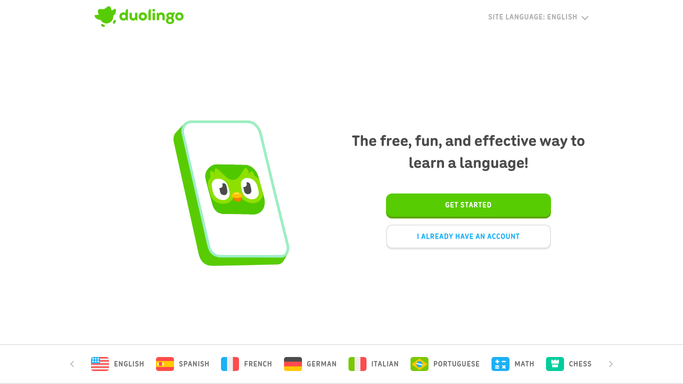
WebRun opens Duolingo to read today's streak and lessons. - Open your Duolingo profile and read the current streak length
- Record XP earned today and the number of lessons completed
- For each course you are studying, note the current unit and section
- Flag a day with zero activity so gaps show up honestly in the record
Done when Today's streak, XP, lessons, and course position are recorded.
-
2
Airtable - log a dated row
airtable.com How to Automate Airtable

WebRun opens Airtable to log a dated row. - Open your Airtable learning base
- Add a dated row with streak, XP, lessons completed, and the course position
- Mark zero-activity days rather than skipping them, so the history stays accurate
- Keep a rolling 7 day and 30 day XP average on each row
Done when Tonight's row is written with the rolling averages updated.
-
3
Google Drive - write the monthly summary
drive.google.com How to Automate Google Drive

WebRun opens Google Drive to write the monthly summary. - On the first night of each month, open your progress document in Google Drive
- Add a section for the month just finished: total XP, days active, longest run, and units completed
- Compare the month against the previous one in plain sentences
- Type the section into the existing document. Never upload a file
Done when The Drive document carries a written summary for every completed month.
How is each run configured?
Secure by default
Connect once, stays signed in
WebRun signs in once and keeps each session in a persistent environment, so every run picks up right where it left off.
Every action is checked against this policy before it runs.
Questions, answered
Does it do lessons or use streak freezes for me?
No. WebRun only reads your profile. It never starts a lesson, spends gems, uses a streak freeze, or changes a setting in your Duolingo account.
Does it hide the days I skipped?
No. Zero-activity days are logged as zero rather than skipped, so the Airtable history and the monthly summary reflect what actually happened.
Where does the monthly summary go?
Into a document in your own Google Drive, written on the first night of each month. Nothing is shared, published, or emailed to anyone.
Related templates
Put this on autopilot.
Turn it on in minutes - or have our team set it up for you.