Brief your driver with today's pickup and delivery route each morning
Every morning, WebRun opens CleanCloud, collects all scheduled pickups and deliveries for the day, groups them by route zone, and posts a clear briefing to the driver Slack channel so every stop is covered without last-minute calls.
- No credit card
- Under $0.01 per run
- Cancel anytime
What does WebRun do on every run?
The exact actions WebRun takes, in order - in plain language, so you can adjust anything.
-
WebRun signs in and gets to work
Opens
app.cleancloudapp.comin a real browser with your saved login - no setup, no API keys. -
1
CleanCloud - read today's scheduled pickups and deliveries
cleancloudapp.com How to Automate CleanCloud

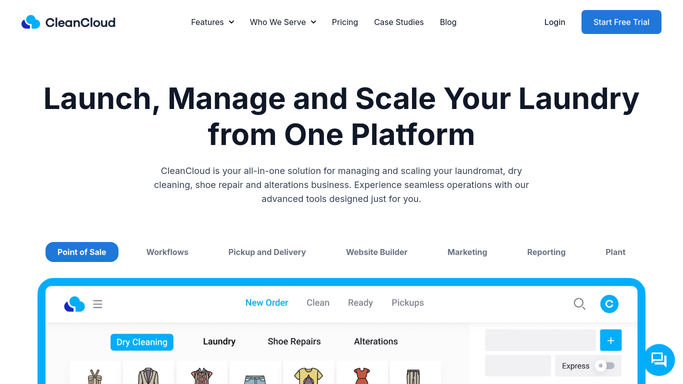
WebRun opens CleanCloud to read today's scheduled pickups and deliveries. - Open CleanCloud and navigate to the Pickup and Delivery schedule for today
- Collect each stop's customer name, address, order reference, and time window
- Group stops by route zone and order them by scheduled time
Done when All today's pickup and delivery stops are listed with addresses and time windows.
-
2
Slack - post route briefing to driver channel
slack.com How to Automate Slack
WebRun opens Slack to post route briefing to driver channel. - Post the compiled route list to the driver or dispatch Slack channel
- Include stop count, total orders, and any special instructions noted in CleanCloud
- Flag any stops added after midnight so the driver knows about late additions
Done when Drivers have today's full route briefing in Slack before their shift starts.

How do I automatically send drivers their daily pickup and delivery route from CleanCloud?
WebRun reads CleanCloud's pickup and delivery schedule every morning, groups stops by route zone, and posts a clear route briefing to your driver Slack channel before shifts begin. Drivers get every stop, address, and time window in one place without waiting for a manager to compile the list manually.
- Drivers start every shift with a complete, grouped stop list
- Dispatch calls drop because the briefing arrives automatically
- Late-added stops are flagged so nothing is missed
Built for dry cleaners with delivery · laundry pickup services · garment care businesses · multi-stop route operators
How is each run configured?
Secure by default
Connect once, stays signed in
WebRun signs in once and keeps each session in a persistent environment, so every run picks up right where it left off.
Every action is checked against this policy before it runs.
Questions, answered
What if a customer cancels a pickup after the briefing is posted?
WebRun posts the route at 7:30 AM from the live CleanCloud schedule. Cancellations after that point should be communicated to the driver directly. You can also re-run WebRun at any time for a refreshed list.
Can it handle multiple drivers or route zones?
Yes. WebRun can group stops by zone and post a separate briefing per driver or per zone channel in Slack, matching however your routes are structured in CleanCloud.
Does it text customers their delivery window?
No. This digest is an internal tool for your drivers. Customer delivery notifications are a separate workflow and require staff approval before any message is sent.
Related templates
Put this on autopilot.
Turn it on in minutes - or have our team set it up for you.