Welcome every new customer with a personalised first message
Every morning, WebRun opens CleanCloud, identifies customers who placed their first order in the last 24 hours, and drafts a personalised welcome email for each in Gmail for staff to review and send while the relationship is still fresh.
- No credit card
- Under $0.01 per run
- Cancel anytime
What does WebRun do on every run?
The exact actions WebRun takes, in order - in plain language, so you can adjust anything.
-
WebRun signs in and gets to work
Opens
app.cleancloudapp.comin a real browser with your saved login - no setup, no API keys. -
1
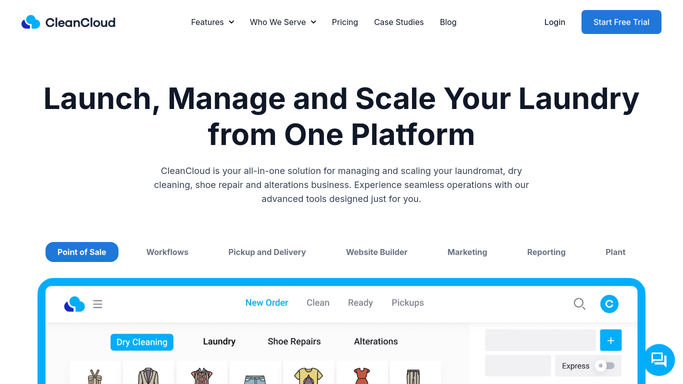
CleanCloud - find customers who placed their first order yesterday
cleancloudapp.com How to Automate CleanCloud

WebRun opens CleanCloud to find customers who placed their first order yesterday. - Open CleanCloud and filter the customer list for accounts created in the last 24 hours with at least one order
- Capture each new customer's name, email address, and the service they ordered
- Skip any customer who has placed an order before, to ensure only genuine first-timers receive the welcome
Done when All first-time customers from the past 24 hours are listed with their name, email, and first service type.
-
2
Gmail - draft welcome email for each new customer
gmail.com How to Automate Gmail
WebRun opens Gmail to draft welcome email for each new customer. - Draft a warm, personalised welcome email for each new customer referencing their first service and what to expect
- Include your store hours, contact details, and any first-visit loyalty offer
- Save each email as a Gmail draft for staff to review and approve before sending
Done when A Gmail draft welcome email exists for every new customer from the past 24 hours, ready for staff sign-off.

How do I automatically welcome new customers in my dry cleaning business?
WebRun checks CleanCloud every morning for customers who placed their first order in the past 24 hours, then drafts a warm, personalised welcome email for each in Gmail referencing their first service. Every email waits for staff approval before sending, so new customers get a thoughtful first impression without anything going out automatically.
- Every new customer receives a personalised welcome within 24 hours of their first order
- Staff send polished welcome emails in seconds rather than writing each from scratch
- First-visit loyalty offers are consistently included so no new customer misses the programme
Built for dry cleaners · laundromats · garment care businesses · alterations shops
How is each run configured?
Secure by default
Connect once, stays signed in
WebRun signs in once and keeps each session in a persistent environment, so every run picks up right where it left off.
Every action is checked against this policy before it runs.
Questions, answered
Will it email new customers automatically?
No. Every welcome email is saved as a Gmail draft for staff to review, personalise if they wish, and approve before sending. Nothing goes to the customer without sign-off.
How does it know who is genuinely a new customer?
WebRun checks CleanCloud for accounts created in the past 24 hours with their first order. Returning customers who placed a gap order are not flagged as new.
Can I include a loyalty offer or discount in the welcome email?
Yes. Tell WebRun the offer details and it will include them in every draft. The welcome is a great moment to introduce your loyalty program or a first-visit discount.
Related templates
Put this on autopilot.
Turn it on in minutes - or have our team set it up for you.