Handle garment damage or quality complaints before they escalate
Every morning, WebRun opens CleanCloud, finds orders flagged with a garment issue, damage note, or quality complaint, logs the details to a tracking Google Sheet, and drafts a professional customer response email in Gmail for staff to review and send before the customer follows up.
- No credit card
- Under $0.01 per run
- Cancel anytime
What does WebRun do on every run?
The exact actions WebRun takes, in order - in plain language, so you can adjust anything.
-
WebRun signs in and gets to work
Opens
app.cleancloudapp.comin a real browser with your saved login - no setup, no API keys. -
1
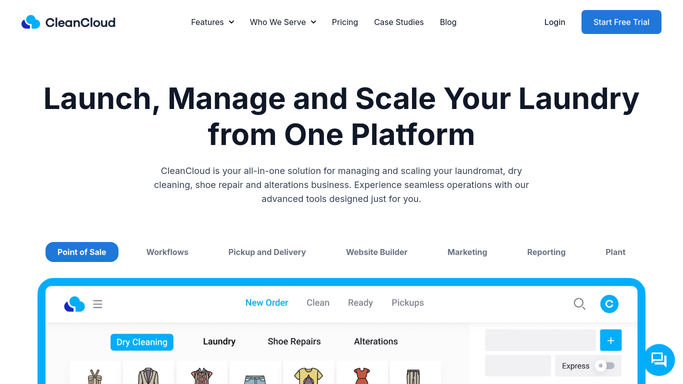
CleanCloud - find orders flagged with garment issues
cleancloudapp.com How to Automate CleanCloud

WebRun opens CleanCloud to find orders flagged with garment issues. - Open CleanCloud and filter orders for any with a damage flag, quality note, or complaint status
- Capture the customer name, email, order reference, garment description, and the nature of the reported issue
- Note whether a photo has been attached to the order in CleanCloud
Done when All orders with a flagged garment issue are listed with full details.
-
2
Google Sheets - log issue details to tracking sheet
google.com How to Automate Google Sheets
WebRun opens Google Sheets to log issue details to tracking sheet. - Open the garment issue tracking Google Sheet
- Add a new row for each flagged order with the order reference, customer name, issue description, date flagged, and status set to Open
- Skip any issue already logged in the sheet from a previous run
Done when Every new garment issue is recorded in the tracking sheet with an Open status.
-
3
Gmail - draft customer response for staff review
gmail.com How to Automate Gmail
WebRun opens Gmail to draft customer response for staff review. - Draft a professional, empathetic response email for each affected customer acknowledging the issue and explaining next steps
- Save each email as a Gmail draft for a manager to review before sending
- Do not send any response without manager approval
Done when A Gmail draft response exists for every customer with a new garment issue, ready for manager approval.


How do I automatically track and respond to garment damage complaints from CleanCloud?
WebRun checks CleanCloud every morning for orders flagged with a garment issue, damage, or quality complaint. It logs each case to a Google Sheet for tracking and drafts a professional customer response in Gmail for manager review. No reply goes to the customer without approval, and resolved issues stay on record in the sheet.
- Garment complaints are logged centrally the same morning they appear in CleanCloud
- Customers receive a professional response faster because drafts are ready for manager approval
- Nothing slips through because every flagged order is tracked in the sheet
Built for dry cleaners · garment care businesses · alterations shops · laundry quality managers
How is each run configured?
Secure by default
Connect once, stays signed in
WebRun signs in once and keeps each session in a persistent environment, so every run picks up right where it left off.
Every action is checked against this policy before it runs.
Questions, answered
Will it respond to the customer automatically?
No. Every response is saved as a Gmail draft for a manager to review, personalise if needed, and approve before it is sent. No message goes to a customer automatically.
What happens if the same garment issue is flagged across multiple runs?
WebRun checks the tracking sheet before logging and skips issues already recorded, so each complaint appears only once in the sheet and only one draft is created.
Can I use the sheet to track resolution status?
Yes. WebRun adds each issue with an Open status. Your team can update the status column to In Progress or Resolved as the complaint is handled.
Related templates
Put this on autopilot.
Turn it on in minutes - or have our team set it up for you.